in an Internet instant messaging program, HTTP used by a web browser, and FTP used by a file
transfer program are all examples of applications. Inside the packet, these applications are designated
by their port number. Port 80, the standard HTTP port, is an example of a port number.
The Networking section of the router performs many elegant functions by recognizing different packet
types based upon their contents, such as source and destination MAC address, IP address, and ports.
Three Networking Modes
Your gateway can be configured to provide connectivity between your cable company and your home
LAN in any one of three Networking Modes: CM, RG, and CH. This mode setting is under the control
of your cable company, who can select the mode to match the level of home networking support for
which you have subscribed. All units ship from the factory set for the RG mode, but a configuration
file which the cable company sends the cable modem section during its initialization can change it.
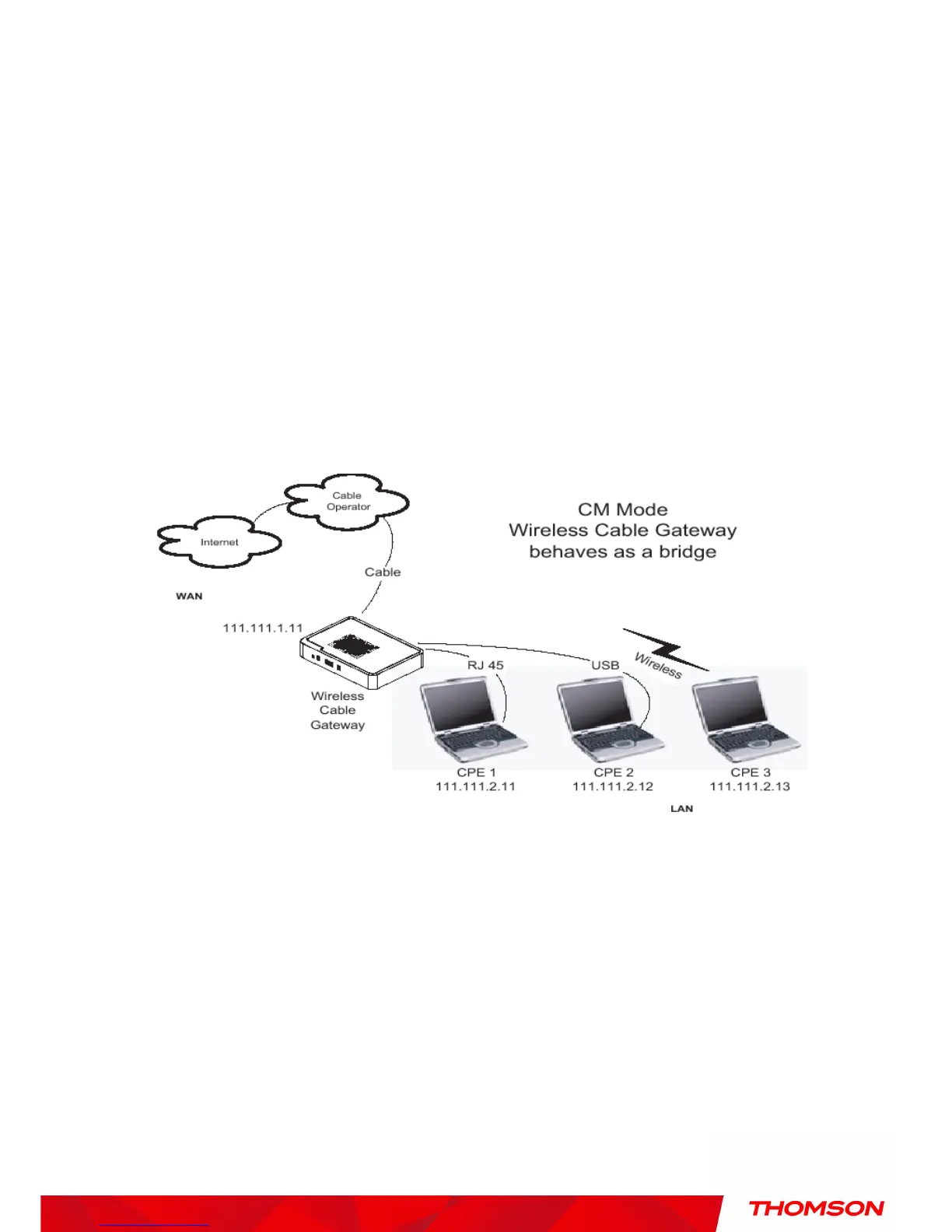
Cable Modem (CM) Mode
Fig. 58 Cable Modem Mode


 To Next Page