Rev A Nov 2017
Page 11
Chapter 4 Operation
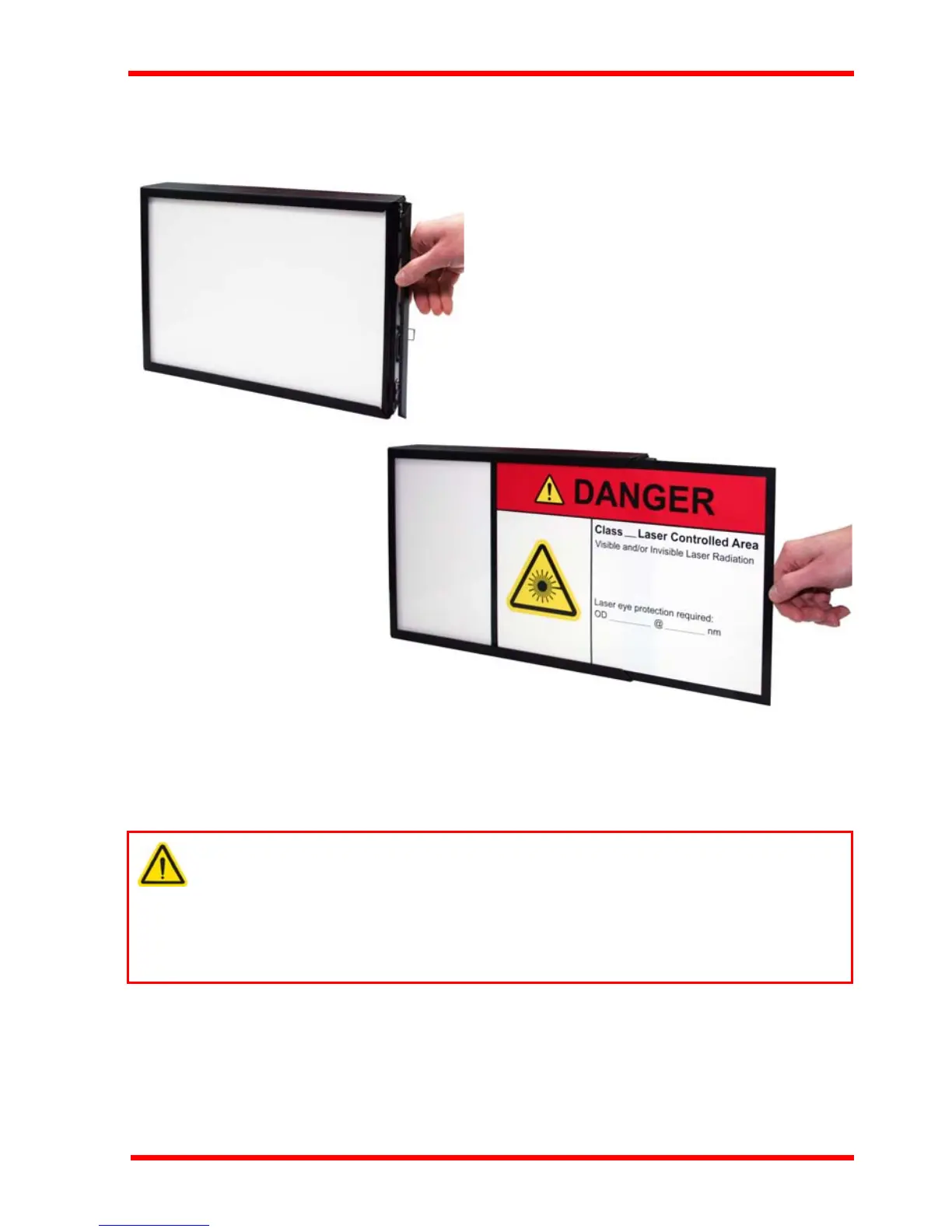
4.4 Inserting a Laser Safety Sign
Safety signs are inserted through a hinged flap as shown below.
Fig. 4.4 Inserting a laser safety sign
4.5 Disabling the External Brightness Control
To avoid unwanted tampering with the brightness setting, the unit can be configured
such that the external control is bypassed, and brightness is set internally.
1) Isolate the unit from mains power.
2) Remove the front Panel - see Fig. 3.2.
3) Move switch SW3 to the INT position as shown below.
Warning
The internal circuit board exposes mains voltages. This is hazardous and can
cause serious injury. Adjustment of the internal controls must be pe rformed
only by suitably trained and qualified personnel who understand the hazards
associated with using high voltages and the steps necessary to m inimize the
risk of electrical shock.


 To Next Page