1
21LFT25430 Issue 6 PN 2307F Oct 17
Smart External
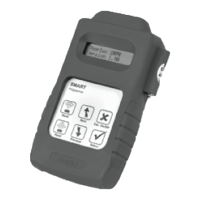
SC 14228SS - SmartScan External Programmer
INTRODUCTION TO THE SMART EXTERNAL SYSTEM
The Smart External system provides a simple, eective means
of controlling exterior luminaires independently or in groups
(zones). Signicant energy savings and reduced operating costs
may be achieved by switching due to presence detection and
daylight sensing.
SMART EXTERNAL LIGHTING
Each Smart External luminaire is equipped with a Smart Micro-sensor
and Controller, so it responds to movement and light level.
1. OCCUPANCY SENSING - Each Smart External luminaire contains
a PIR. Detection area varies - specic details for each Luminaire are
available upon request.
IP43
IP22
IP40
IP20
IP23
IP44
IP50
IP53
IP54
IP54
IP55
IP60
IP65
IP66
IP67
IP68
III
IP40
D
IK10
IP42
IP64
2. LIGHT MEASUREMENT/REGULATION – the ambient light level is
measured so that the luminaire does not operate during the hours
of daylight.
3. INFRA-RED PROGRAMMING - The Smart External Programmer
enables permanent adjustments to light levels, time delays and
switching patterns etc. Each luminaire needs to be programmed
individually and may be set to suit local conditions.
4. SMARTSCAN WIRELESS CONTROL - With the addition of an optional
plug on radio module Smart sensors can communicate through a mesh
radio network for group linking and remote energy monitoring.
THE SMART PROGRAMMER
The Smart External Programmer has six ‘touch pad’ buttons.
DISPLAY
On the rst LCD line the menu point is displayed. On the second line, the status line, the possible settings for this menu
point are shown. During a data transmission, the actual transmission status (as well as any error messages) is shown.
TECHNICAL DATA
■
Dimensions : 198 x 121 x 52mm
■
Power : 4-o AA/1.5V Battery (supplied)
GB - CLASS II LASER. DO NOT STARE INTO BEAM
FR - LASER DE CLASSE 2. NE PAS REGARDER LE FAISCEAU
DE - LASERKLASSE II. BITTE NICHT IN DEN STRAHL BLICKEN
SE - KLASS 2 LASER. TITTA INTE IN I LASERSTRÅLEN
ES - LASER CLASE II. NO MIRE FIJAMENTE AL RAYO
NL - KLASSE 2 LASER PRODUCT. STAAR NIET IN DE STRAAL
NO - KLASSE II LASER. STIRR IKKE INN I LYSKILDEN
PL - LASER KLASY II. NIE PATRZEC PROSTO W PROMIEN
PARAMETERS EACH OF THE FOLLOWING PARAMETERS MAY BE FINETUNED TO SUIT LOCAL
REQUIREMENTS AND CONDITIONS:
Parameter Description
Range of
settings
Factory
default
settings
Canolux LED
Factory Preset
Light Level Sets the threshold at which the luminaire switches on. 6 - 200 lux 70 lux 200 lux
Time Delay
Sets the period the luminaires will remain on after the last
detected movement before dimming down and switching o.
30s to 10hrs or
continuous
10 min 5 min
Security Level
Sets the DALI level at which the luminaire will remain for the
‘If Vacant’ period set below.
1 -100 % DALI 10 % 30 %
If Vacant
Determines what happens at the end of the Time Delay set above.
If Vacant luminaire can be set to switch o, remain at the security
level for a preset period, or remain on continuously.
O or at minimum
for between 30s
and 10hrs or cont.
10 min Continuous
PIR
Sets the PIR for the luminaire. Normal setting is active.
May be set to inactive or O only to avoid nuisance switching.
(O only needs a Motionline signal to switch the light On).
Active / In-Active /
O Only
Active Active
PIR Sensitivity May be adjusted to suit local conditions, and reduce nuisance switching. Min / 1.5 / Max 5 5
Bright-Out
Determines whether the luminaires are switched o during the day or operate
at all times. If set to Yes, the luminaire will switch o if the measured light
level is above the Bright-Out Threshold for more than 10mins. If set to No,
the luminaires will never switch o as a result of increased ambient light.
Yes / No Yes Yes
Bright-Out
Threshold
Sets the level at which the luminaires will switch o. It is set as a percentage
of the Light Level setting. (Default setting requires there to be greater than
140 lux for more than 10 minutes before the light will switch o.)
100% - 400% in
increments of 50%
200 % 400 %
Power Up
Determines what happens after a power cut or when the electrical
supply is re-connected. If lights power up On, they will switch o
if movement is not detected.
On / O On On
Hold Override
Determines whether the luminaire (on Power Up or after time-out) returns
to automatic mode (No), or goes to the last manually set level (Yes).
No / Yes No No


 To Next Page
 Need help?
 General