2
21LFT25430 Issue 6 PN 2307F Oct 17
PARAMETERS CONTINUED EACH OF THE FOLLOWING PARAMETERS MAY BE FINETUNED TO SUIT LOCAL
REQUIREMENTS AND CONDITIONS:
STATUS AND ERROR MESSAGES
TxD_Data: OK Transmission was correct
TxDTimeout
No response from luminaire, e.g misaligned
transmission
TxD_Error
Transmission was OK but error message
received - Re-try
Error_Flag LB Transmission not correct - try again Batteries low
RECOMMENDED GENERAL PROGRAMMING SEQUENCE
PROGRAMMING SINGLE PARAMETERS
Check that all transmission has been conrmed by a TxD_Data: OK, message otherwise correct programming cannot be guaranteed.
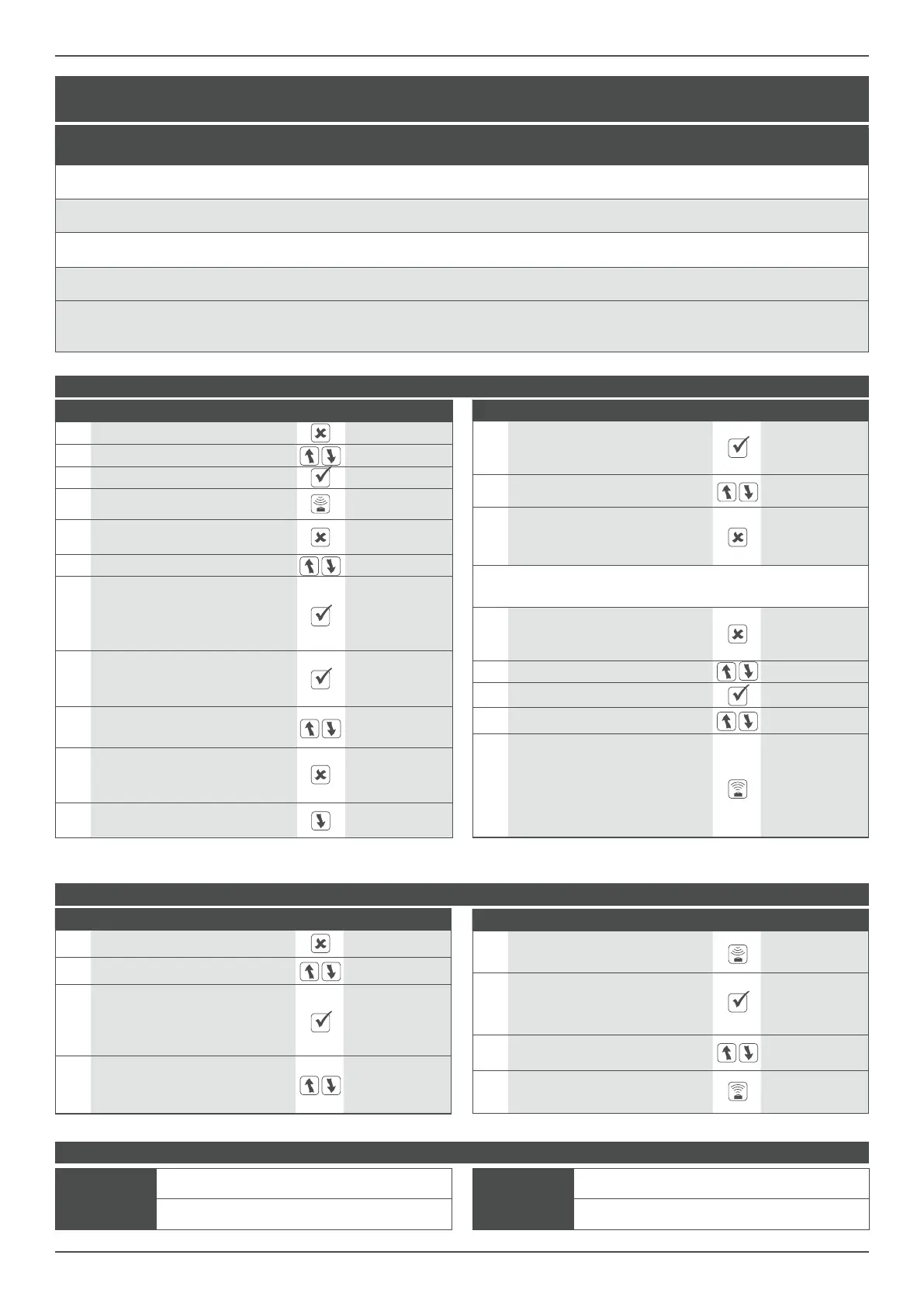
Step Function Button Display
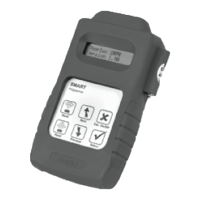
1 Switch on the Smart-Programmer Smart Programmer
2 Change the <parameters> setting <basic param>
3
Option name and current status are
now displayed on the top line. Second
line shows available programming
range for this parameter
Light-level: 70
6-200
4
Select parameter to be changed
(e.g. parameter bright-out from yes
to no).
Bright-out: Yes
Yes/No
Step Function Button Display
5
Select Read to interrogate the actual
set value from the luminaire
Bright-out: Yes
TxD_Data OK
6
To change ‘bright-out’ option press
select button. A star in the upper corner
indicates access of program mode
Bright-out: Yes*
Yes/No
7
Use scroll buttons to select required
value (eg. no)
Bright-out: No*
Yes/No
8
Send will now update the chosen
value within the luminaire
Bright-out: No*
TxD_Data OK
Step Function Button Display
12
Select this parameter. Option name
and current status are now displayed
on the top line
t-delay: 20min*
30s-10hrs/cont
13
Use the scroll buttons, to select
required value (eg. 15min)
t-delay: 20min*
30s-10hrs/cont
14
To exit the setting mode press Esc.
The new selected value will now be
displayed on the rst line
t-delay: 20min
30s-10hrs/cont
15
Repeat steps from 6 to 14 until all other parameters as listed
above (i.e PIR, Bright-out, etc.) are set as required
16
When all parameters are set to the
requested values, exit, (press Esc.)
the menu <parameter>
<parameter>
17 Scroll to <downld/progr> <downld/progr>
18 Select <downld/progr> menu download all
19 Change to program all Program all
20
To congure the Smart POD with the
chosen parameters select SEND.
During the data upload, the luminaire
will switch o and after the data
transfer will operate in the automatic
mode according to the new settings.
Program all
TxD_Data: OK
Parameter Description Range of Settings
Factory
default
settings
Canolux LED
Factory Preset
Min. Lamp
Sets the level below which the lamp will not dim. Has precedence over all
other settings.
1 - 100 % 10 % 10 %
Max. Lamp
Sets the maximum level above which the lamp will not dim. Has precedence
over all other settings.
1 - 100 % 100 % 100 %
Burn In Time
Used when new uorescent lamps are installed to run them at full output for
the rst 100 hours.
O/100h O O
DALI or DSI
Used to change the communication languages between the SmartScan
Sensor and the driver/ballast.
DALI/DSI DALI DALI
Reection
Factor built in to compensate for diering ground colours and reection
values. Note: This is not transmitted to the SMART Pod, but is used internally
within the programmer to inuence the Light Level setting.
10 - 100 % 20 % 30 %
Step Function Button Display
1 Switch on the Smart-Programmer Smart Programmer
2 Change to <downld/progr> setting <downld/progr>
3 Select the menu <downld/progr> download all
4
Load all parameters from luminaire
into Smart-Programmer
download all
TxD.Data:OK
5
All parameters are memorised in the
programmer. Exit this menu point
<downld/progr>
6 Change to <parameter> setting <basic param>
7
Conrm (Select). Option name and
current status are now displayed on the
top line. Second line shows available
programming range for this parameter.
Light level: 70
6-200
8
To change light level press the Select
button. A star in the upper corner
indicates access of the program mode
Light level: 70*
6-200
9
Use the scroll buttons, to select the
required value (eg.65)
Light level: 55*
6-200
10
To exit the setting mode pree Esc.
The new selected value will now be
displayed on the rst line
Light level: 55
6-200
11
The next parameter may now be
selected
t-delay: 20 min
30s-10hrs/cont


 To Next Page
 Loading...