3
21LFT25430 Issue 6 PN 2307F Oct 17
FUNCTION BUTTON DISPLAY
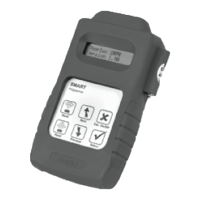
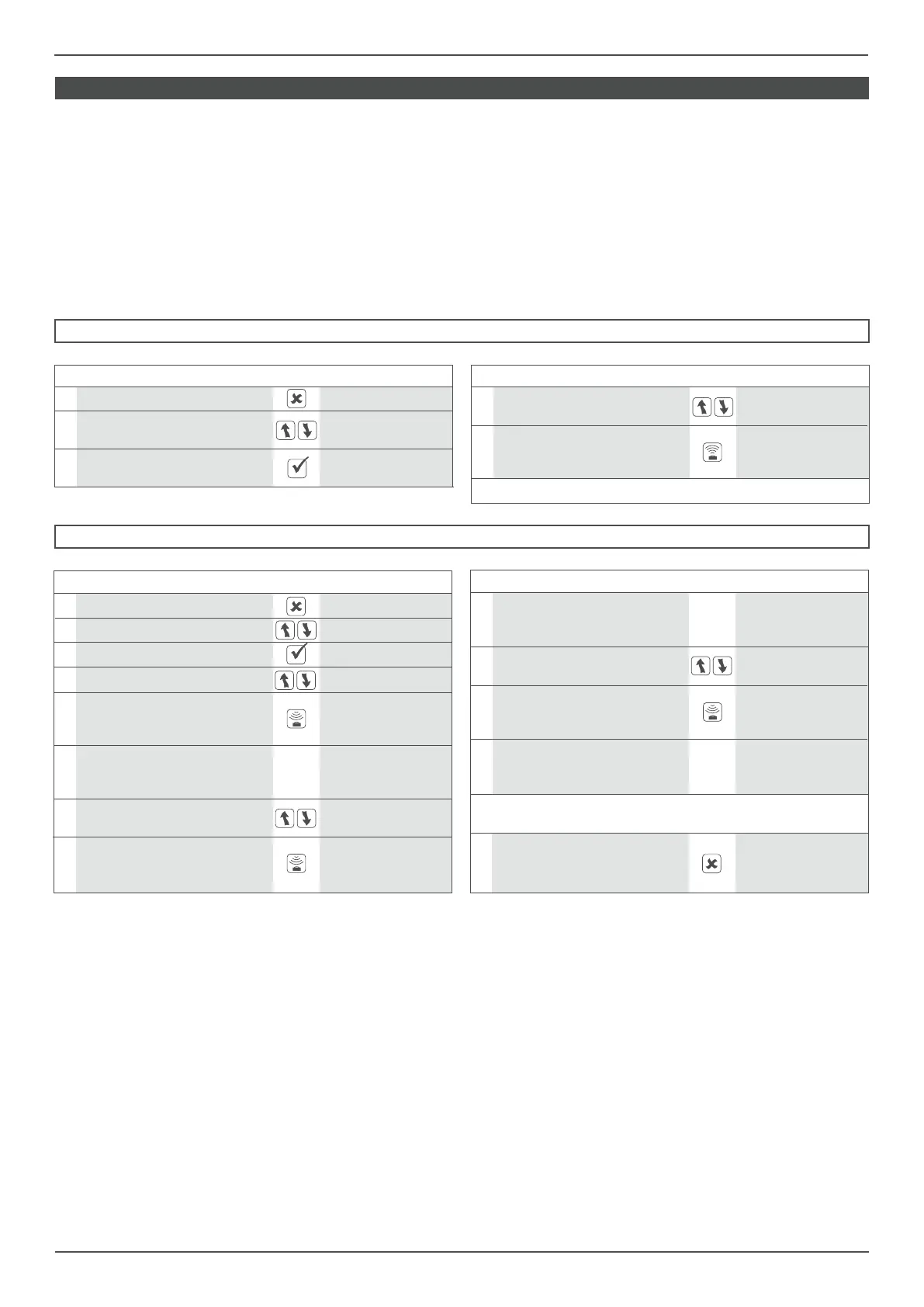
1 Switch on the Smart Programmer SMART Programmer
2 Scroll to the <monitors> setting <monitors>
3 Select the menu <monitors> DSlmon
HOW TO DOWNLOAD THE POWER MONITORS DATA
4 Scroll to ‘R-HoursPw:00:00’ R-HoursPw:00:00
Point the programmer at the
5 Smart Luminaire and press the reading......OK
(Read) button.
7
Make a note of this time, then R-HoursON: 00:00
scroll to ‘R-HoursON: 00:00’
Hold the Programmer in place
6 until the display reads R-HoursPw:XXXXXh
(reading.....OK)
FUNCTION BUTTON DISPLAY
Point the programmer at the
8 Smart Luminaire and press the reading......OK
(Read) button.
10
Make a note of this time, then
DSIavg: 0%
scroll to the ‘DSIavg: 0%’ setting
Hold the Programmer in place
9 until the display reads R-HoursON:XXXXXh
(reading.....OK)
Point the programmer at the
11 Smart Luminaire and press the reading......OK
(Read) button.
Hold the Programmer in place
12 until the display reads DSIavg:XXX XX%
(reading.....OK)
Make a note of these values and repeat this process for every
Smart Luminaire you wish to monitor
8
To turn o the Smart
Programmer, press and hold the
(Esc) button.
The Smart System records its operational usage
within the Smart sensor. This information can
be downloaded via the Smart Programmer (SC
14228SS). Each luminaire will have a dierent
energy prole depending on its location and
settings.
Average luminaire dim level is stored but
does not include ballast losses which be can
be as much as 10% of full luminaire power. A
small amount of power is also used whilst the
luminaires are o.
FUNCTION BUTTON DISPLAY
1 Switch on the Smart Programmer SMART Programmer
2
Scroll to the
<downld/progr>
<downld/progr> setting
3
Select the menu setting
download all
<downld/progr>
HOW TO RESET THE POWER MONITORS
SMART POWER MONITORING
Each Smart Sensor records the following data:
HOURS POWERED TOTAL = <HoursPowr>
(0 seconds - 136 years, non-resettable)
HOURS POWERED SINCE LAST RESET =
<R-HoursPw> (0 seconds - 136 years)
HOURS LAMP ON SINCE LAST RESET =
<R-HoursON> (0 seconds - 136 years)
AVERAGE DIM LEVEL WHILST LAMPS ON =
<DSIavg> (This will record lamp dim level for
a maximum of 4,000 hours ‘on time’ due to
the large amount of memory that the process
requires).
Energy monitoring is normally done over a set
period of time after the luminaires have been
commissioned. To ensure correct results the
power monitoring counters have to be reset
using the Smart Programmer (SS 14228SS)
before the trial takes place.
FUNCTION BUTTON DISPLAY
Point the programmer at the
5 Smart Luminaire and press the sending......OK
(Send) button
Repeat Step 5 for every Smart Luminaire you wish to reset
4
Scroll to the
reset PwrMonitor
‘reset PwrMonitor’ setting


 To Next Page
 Loading...