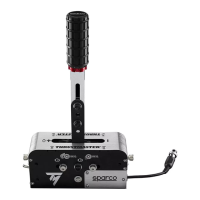
On PC, when the TSS HANDBRAKE is connected to a USB port using the
detachable male DIN / USB cable (6), the TSS HANDBRAKE is compatible:
- with HANDBRAKE mode [Progressive] and SEQUENTIAL SHIFTER mode [+/-];
- in all games supporting multi-USB, separate handbrakes and shifters;
- with all racing wheels on the market.
On PC, when the TSS HANDBRAKE is connected to the back of a compatible
Thrustmaster racing wheel base using the detachable mini-DIN / DIN cable (11),
the TSS HANDBRAKE is compatible:
- with SEQUENTIAL SHIFTER mode [+/-] only;
- in all games (as the TSS HANDBRAKE is combined with the racing wheel’s UP and DOWN paddle
shifters);
- with compatible Thrustmaster racing wheel bases only (TS-PC Racer, T-GT, T300, TS-XW Racer and
TX).
IMPORTANT: you must update the firmware of your racing wheel base
(TS-PC Racer, T-GT, T300, TS-XW Racer and TX) with the latest version
available at http://support.thrustmaster.com/ to be able to connect a TSS
HANDBRAKE to the racing wheel base.
General notes on PC:
* Remember to always completely close the Game Controllers window by clicking on OK before
starting your game.
* The TSS HANDBRAKE’s firmware version is displayed in the upper right section of the Control Panel
tabs.
* If you choose to use a USB connection, we recommend connecting your racing wheel and the TSS
HANDBRAKE directly to the USB 2.0 (not USB 3.0) ports on your PC, without using a hub.
* Some games let you use 2 TSS HANDBRAKE devices simultaneously:
• 1 TSS HANDBRAKE configured in HANDBRAKE mode;
• 1 TSS HANDBRAKE in SEQUENTIAL SHIFTER mode.


 To Next Page