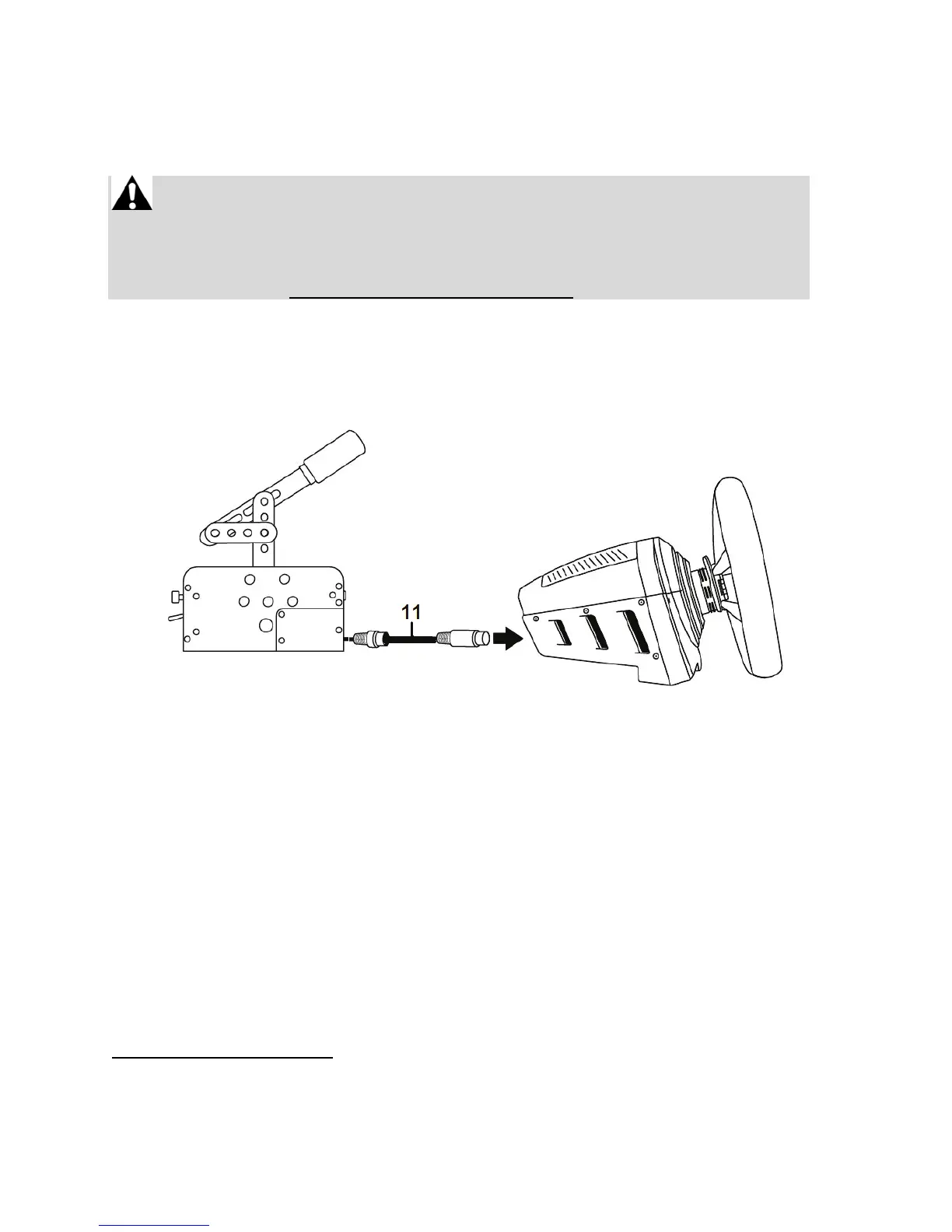
INSTALLATION ON PS4™ AND XBOX ONE®
On PS4™ and Xbox One®, the TSS HANDBRAKE is compatible with the following racing wheel bases:
• Thrustmaster T-GT and T300 on PS4™
• Thrustmaster TS-XW Racer and TX on Xbox One®
IMPORTANT: in order to ensure optimal performance of the TSS
HANDBRAKE on PS4™ and Xbox One®, you must update the firmware of
your racing wheel base (T-GT, T300, TS-XW Racer or TX) with the latest
version available at http://support.thrustmaster.com/.
Installation:
1. Using the detachable mini-DIN / DIN cable (11), connect the TSS HANDBRAKE directly to the
female mini-DIN port located at the back of your racing wheel’s base.
2. Connect your racing wheel to the console.
YOU ARE NOW READY TO PLAY!
General notes on PS4™ and Xbox One®:
- Never use and connect the detachable male DIN / USB cable (6) on PS4™ and Xbox One®. The
TSS HANDBRAKE must always be connected to a compatible Thrustmaster racing wheel base,
and not to the console.
- When the TSS HANDBRAKE is connected to a compatible Thrustmaster racing wheel base:
- SEQUENTIAL SHIFTER mode [+/-] works in all games, as it is combined with the racing
wheel’s UP and DOWN paddle shifters.
- HANDBRAKE mode [Progressive] works in games that support the handbrake function*.
* List of PS4™ and Xbox One® games compatible with handbrakes available at
http://support.thrustmaster.com/. In the Racing Wheels section, select TM SIM HUB or TSS
Handbrake Sparco® Mod.


 To Next Page