EasyManua.ls Logo

Thunder TDR15008 - User Manual

Thunder TDR15008
8 pages
Print Icon
To Next Page IconTo Next Page
Loading...
1
For your personal safety read, understand and
follow the information provided in this instruction
manual and on the solar regulator.
CONGRATULATIONS ON
YOUR PURCHASE OF YOUR
THUNDER SOLAR REGULATOR!
Question and Answer IconNeed help?

Do you have a question about the Thunder TDR15008 and is the answer not in the manual?

Summary

Specifications

Installation Guide

LCD Symbol Descriptions

Load Circuit Off

Symbol indicating the load circuit is deactivated.

Load Circuit On (No Current)

Symbol indicating the load circuit is active without current flow.

Load Circuit On (Current Drawn)

Symbol indicating the load circuit is active with current flow.

System Working Correctly

Symbol indicating the system is functioning as expected.

Battery Capacity Indicator

Visual representation of the current battery charge level.

Solar Not Active

Symbol indicating no solar power input.

No Charge Going to Battery

Symbol indicating that the battery is not receiving charge.

Bulk Charging Battery

Symbol indicating the battery is in bulk charging mode.

Float Charging Battery

Symbol indicating the battery is in float charging mode.

Battery Running Low

Symbol indicating the battery voltage is critically low.

Solar Power Active

Symbol indicating that solar power is available.

Load Timer Control On

Symbol indicating the load timer function is active.

View and Program Settings

Battery Voltage Display

Shows battery voltage, charge status, discharge status, and capacity. Long press to shut off load.

Environment Temperature Display

Shows current temperature, charge status, discharge status, and battery capacity.

Solar Panel Charge Current Display

Displays charging current from solar panel and battery capacity.

Load Discharge Current Display

Displays discharge current and battery capacity.

Accumulated Charge (Ah) Display

Shows total charge received in amp hours. Reset by holding menu button.

Accumulated Discharge (Ah) Display

Shows total discharge in amp hours. Reset by holding menu button.

Low Voltage Disconnect (LVD) Setting

Adjusts the voltage level for load circuit shut-off. Uses menu and arrow buttons.

Low Voltage Reconnect (LVR) Setting

Adjusts the voltage level for load circuit turn-on. Uses menu and arrow buttons.

High Voltage Disconnect (HVD) Setting

Adjusts charging circuit cut-off to prevent overcharging. Uses menu and arrow buttons.

Load Delay Setting

Sets the delay time for load disconnect (0-24 hrs). Configured via menu and arrow buttons.

Common Fault Codes and Handling

Information on Overload and Short Circuit faults and how to resolve them.

Overview

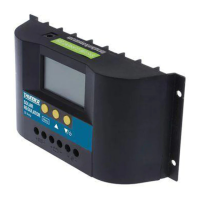
The Thunder Solar Regulator is a device designed to manage the charging of a battery from a solar panel, and to control a connected load. It acts as an intermediary between the solar panel, the battery, and any connected DC loads, ensuring efficient and safe power management. The device is intended for use in off-grid or remote power applications, such as those found in recreational vehicles or camping setups, as suggested by the tagline "Connection to your Weekend Escape."

Function Description:

The primary function of the Thunder Solar Regulator is to regulate the voltage and current coming from a solar panel to charge a battery, preventing overcharging and deep discharge. It also manages the power supply to a connected DC load, offering features like low voltage disconnection to protect the battery and a load delay function. The regulator features an LCD screen that displays various parameters, allowing users to monitor the system's performance and adjust certain settings.

Important Technical Specifications:

  • Rated Current: 30A, indicating the maximum continuous current the regulator can handle from the solar panel and for the load.
  • Rated Voltage: 12V/24V, meaning it can operate with both 12-volt and 24-volt battery systems.
  • Open Circuit of Solar Panel: <50V, specifying the maximum open-circuit voltage of the solar panel that can be connected.
  • Low Voltage Disconnection (LVD): 10.7V/21.4V. This is the voltage at which the regulator will disconnect the load to prevent over-discharging the battery.
  • Float Voltage: 14V/28V. This is the voltage at which the battery is maintained once fully charged to prevent overcharging.
  • Low Voltage Reconnection (LVR): 12.6V/25.2V. This is the voltage at which the regulator will reconnect the load after an LVD event, once the battery has recharged sufficiently.
  • No Load Current: ≤ 30mA, representing the minimal power consumption of the regulator itself when no load is connected and no solar input is present.
  • Operating Temperature: -10°C to 60°C, defining the safe ambient temperature range for operation.
  • Storage Temperature: -30°C to 70°C, defining the safe ambient temperature range for storage.
  • Dimensions: 90mm(L) x 188mm(W) x 48mm(D), providing the physical size of the unit.
  • Mounting Hole Spacing: 60mm x 178mm, useful for installation planning.
  • Weight: 360g, indicating a relatively lightweight device.
  • Battery Type: Wet cell rechargeable only, specifying the type of battery compatible with this regulator.

Usage Features:

The Thunder Solar Regulator offers several user-friendly features, primarily through its LCD display and menu button:

  • Installation:

    • It should be mounted as close to the battery as possible.
    • Requires at least 6mm² automotive cable for optimal performance.
    • Connection sequence: Battery positive and negative terminals first, then solar panel positive and negative leads. An optional DC load can be connected, though not recommended for sensitive electronics.
    • An external temperature sensor plugs into the top left corner of the regulator and is crucial for temperature compensation on the high voltage disconnect function.
  • LCD Symbols: The LCD provides clear visual indicators for various operational states:

    • Load circuit off/on (with or without current being drawn).
    • No charge going to battery/Bulk charging battery/Float charging battery.
    • System working correctly/Battery running low.
    • Battery capacity indicator.
    • Solar power active/Solar not active.
    • Load timer control on.
  • View and Program Settings: The menu button allows users to cycle through and view different system parameters and program certain settings:

    • Battery Voltage: Displays current battery voltage, charge/discharge status, and battery capacity. Pressing and holding the menu button for >5 seconds in this screen can shut off the load circuit.
    • Environment Temperature: Shows current temperature, charge/discharge status, and battery capacity.
    • Solar Panel Charge Current: Displays the charging current from the solar panel and battery capacity.
    • Load Discharge Current: Displays the current being drawn by the load and battery capacity.
    • Accumulated Charge (Ah): Tracks the total amp-hours received from the solar panel since connection or last reset. Can be reset to 0 by pressing and holding the menu button for >5 seconds.
    • Accumulated Discharge (Ah): Tracks the total amp-hours discharged from the load circuit since connection or last reset. Can be reset to 0 by pressing and holding the menu button for >5 seconds.
    • Low Voltage Disconnect (LVD): Displays and allows adjustment of the LVD voltage. Press and hold the menu button, then use arrow buttons to change the value.
    • Low Voltage Reconnect (LVR): Displays and allows adjustment of the LVR voltage. Similar adjustment method as LVD.
    • High Voltage Disconnect (HVD): Displays and allows adjustment of the HVD voltage, which prevents battery overcharging. Similar adjustment method as LVD.
    • Load Delay: Displays and allows adjustment of the delay time for load disconnect in 1-hour increments from 0 to 24 hours.
      • 0h: Load circuit only active without solar input.
      • 1-23h: Load circuit remains on for that many hours after solar input cuts out.
      • 24h: Load circuit remains on at all times, provided no faults are detected.

Maintenance Features:

While the manual does not explicitly detail routine maintenance, it provides guidance on handling common fault codes:

  • Overload: If the screen displays an overload fault (meaning over 30A is being drawn from the load circuit), the user should reduce the load, then press the menu button and the down arrow to restore power to the circuit.
  • Short Circuit: If a short circuit is detected and displayed, the user should check all cables and remove the short, then press the menu button and the down arrow to restore power to the circuit.

The emphasis on reading and understanding the instruction manual for personal safety and following the information provided on the solar regulator itself suggests that proper installation and adherence to operational guidelines are key to the device's longevity and safe operation. The temperature sensor also plays a role in maintenance by ensuring the battery is charged within safe temperature limits, preventing damage due to extreme temperatures.

Thunder TDR15008 Specifications

General IconGeneral
BrandThunder
ModelTDR15008
CategoryController
LanguageEnglish