SECTION : OPERATION
|
58
TAPS
2
OPERATION
Working in conjunction with the patented Tigé AVX hull, TAPS
2
allows
variable-hull trim capability that dramatically enhances wake characteristics,
ride and overall boat performance. With the push of a button, TAPS
2
instantly modifies the hull’s running angle for optimum watersport wake
enhancement, a smoother ride in rough water, better fuel economy and
increased safety and comfort.
TAPS
2
adjustments are made using the rocker switch located on the throttle
handle. Always keep your left hand on the steering wheel and your right
hand on the throttle.
The location of the TAPS
2
switch allows operation with the right thumb,
maintaining safe, hands-on control of the throttle.
TAPS
2
switch adjustments can be made while stopped or while underway
at any speed. The position of TAPS
2
plate is indicated on the TAPS
2
gauge
located on the dash.
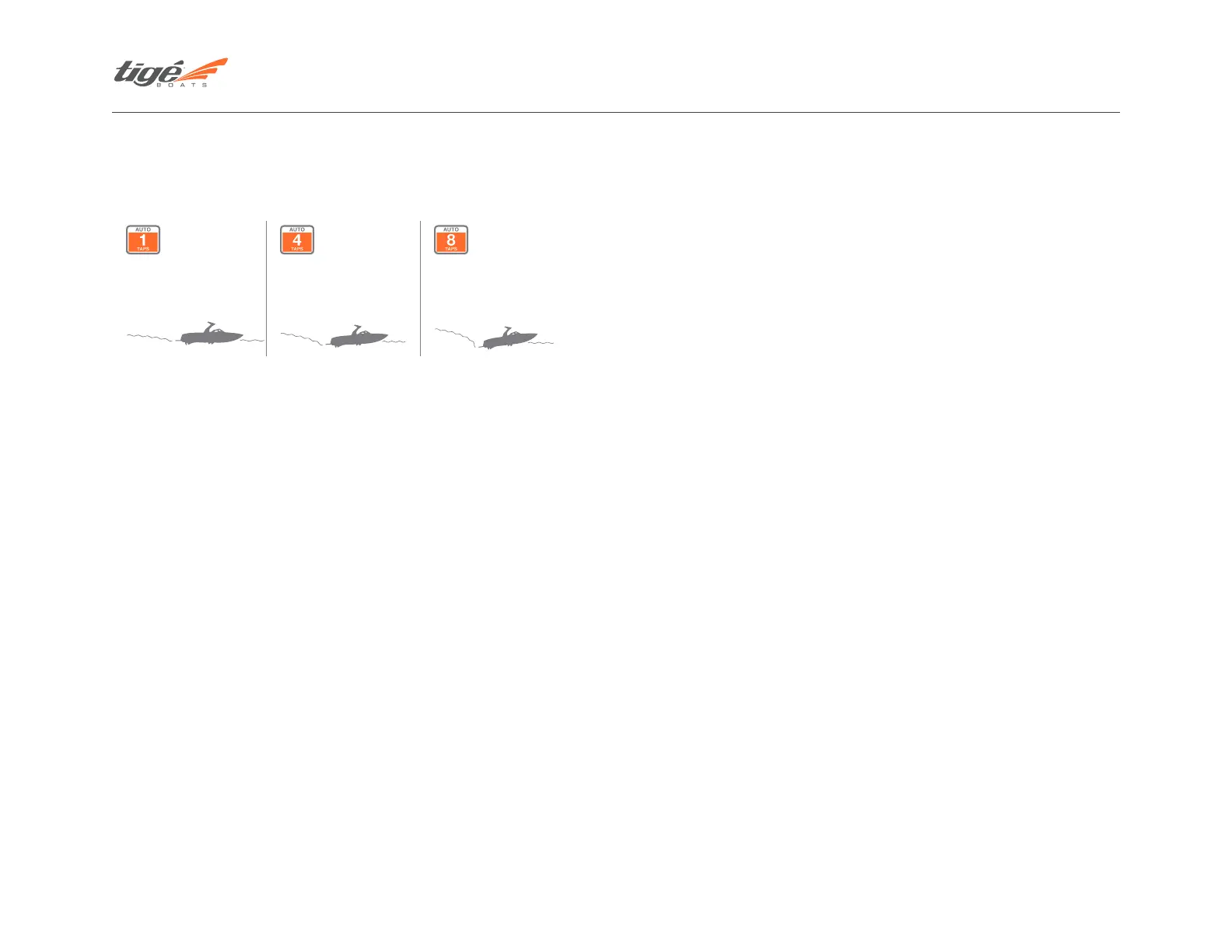
Settings range from 1, a flat, bow-low running angle to 8, a bow-high running
angle. To move the bow to a higher running attitude, push the top of the
TAPS
2
rocker switch (the TAPS
2
will raise). The TAPS
2
gauge will begin moving
toward a higher number. To lower the bow, push the bottom of the TAPS
2
rocker switch. The bow angle will lower and the TAPS
2
gauge will move to a
lower number.
Although the effects of the various TAPS
2
settings depend on Tigé model,
passenger load, water conditions, speed and other factors, the following
guidelines are provided as a starting point as you learn to use TAPS
2
to
optimize your performance needs. Practice and experience using TAPS
2
can
also optimize your performance needs.
Ride, Safety and Boat Performance
The variable-hull TAPS
2
system also dramatically enhances boat
performance, comfort and safety. To eliminate bow rise on take-off, set
TAPS
2
at 1. As soon as the boat reaches planing speed, adjust TAPS
2
to 3 or
higher, depending on water conditions. If the water is choppy, less than 6 in.
(152.4 mm) waves, the optimum ride setting will be from 2 to 5, depending
on Tigé model and passenger load. If the water is rougher, 6 to 12 in.
(152.4 to 304.8 mm) waves, the optimum ride setting will be from 5 to 8,
depending on Tigé model and passenger load.
Raising the bow in rougher water will provide a safer, drier ride while
maximizing the hull’s “entry vee” to reduce the effects of the chop. This
higher running attitude will also provide bow passengers with a smoother,
drier ride.
To maximize top speed in your Tigé, set TAPS
2
between 5 and 8. When the
boat reaches top speed, bring the TAPS
2
setting down slightly to achieve the
optimum running attitude. Top speed should be achieved at a TAPS
2
setting
of 5 to 6.
ZeroOff GPS CRUISE CONTROL OPERATIONS
(For boats without Tigé Touch 2: See Touch Screen Procedures)
ZeroOff GPS Cruise Control allows precise, easy-to-use digital speed
control that is useful in towing wakeboarders and skiers or maintaining a
constant cruising speed. The ZeroOff GPS Cruise Control panel incorporates
Touchpad Recognition for easy fingertip use without taking your eyes off
the waterway. Raised, domed buttons are scaled to the human hand and
positioned to allow for two-finger touch operation while you safely pay
attention to your rider or skier and other boat traffic.
For instant planing and clean,
faint slalom wakes.
Adjust wake size or trim
for optimum cruising, fuel
efficiency, top speed or
performance.
ConvexV hull settles naturally
at boarding and surfing
speeds.



 To Next Page