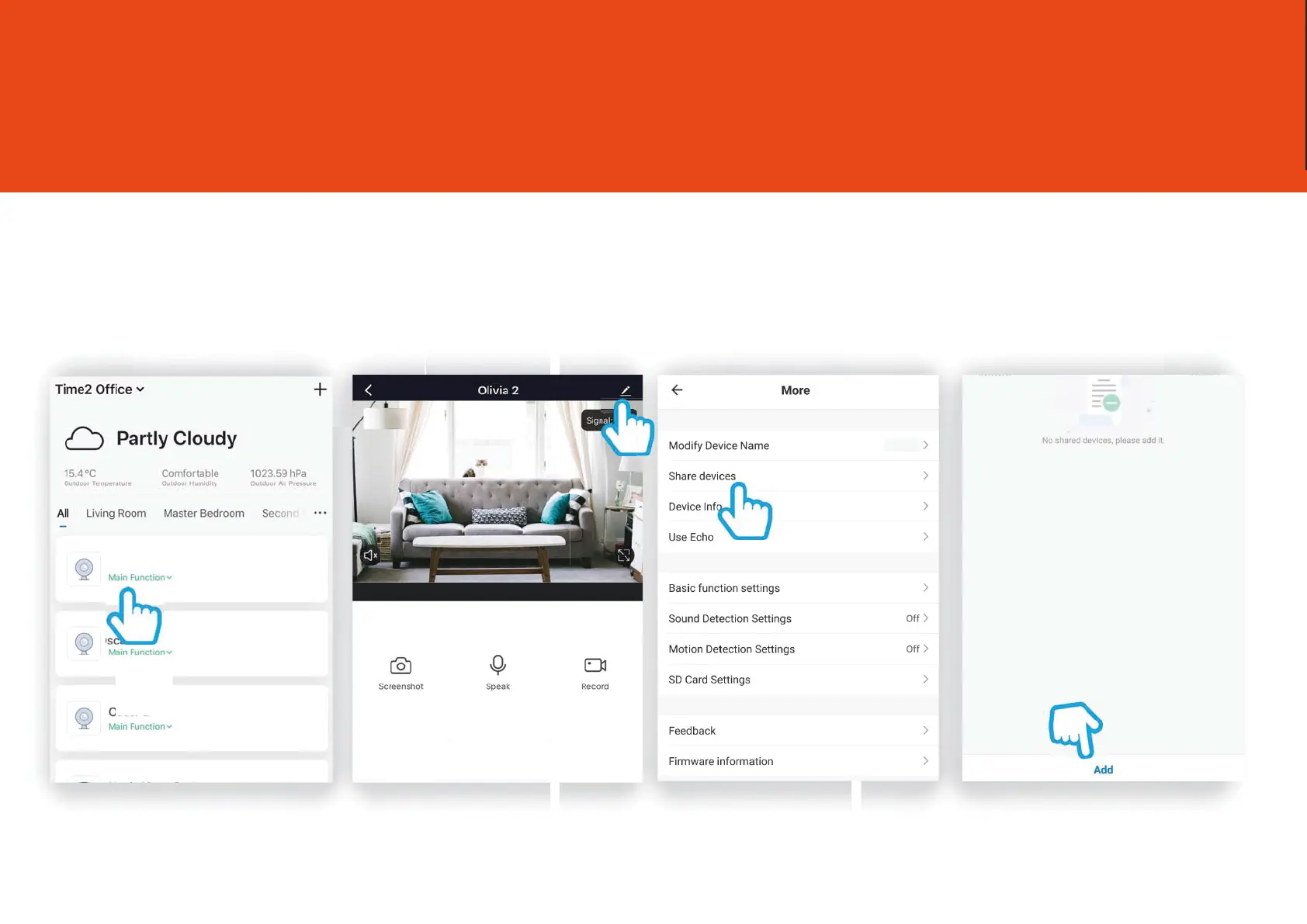
Share Oscar3
Step 1
Click on
Oscar3
Step 2
Click on the settings icon to
bring up the camera
settings
Step 3
Click share devices
Step 4
Click Add
15
You are able to add share Oscar your family and friends so they can also view the camera.
Sharing the device will only give them access to live-view, to give full access to oscar settings,
please
see “Add a Family Member”
on Page 11.
Your family member must have a registered Clan at Home account.
Olivia
Olivia 2
Olivia 2
with
Oscar



 To Next Page