7
If you experience problems, do not immediately return the unit
to the store. Telephone the Timeguard Customer Helpline;
HELPLINE
020 8450 0515
• For a more accurate setting of the DUSK control turn it fully anti-clockwise
(Moon end) and leave for at least 20 seconds for the unit to settle.
• When the ambient light level reaches that required for DUSK, adjust the
DUSK control a small amount clockwise pausing to try to get the unit
to detect and turn the lights under control ON by moving a hand
slowly backwards and forwards across the front of the detector lens
for around 5 seconds.
• Continue to turn the control small amounts in a clockwise direction,
stopping after each adjustment to try to get the unit to detect as above.
• Eventually detection will occur and the DUSK level is now set as required.
9. Masking the Sensor Lens
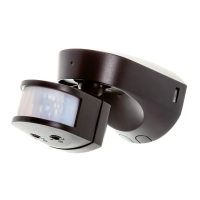
• To reduce the sensor coverage, preventing detection in unwanted areas,
mask the sensor lens using the lens mask sticker supplied (see diagram D).
• The top section of the lens covers long range detection, the bottom covers
short range. Similarly the left and right lens sections cover the left and
right detection area respectively.
• Mask the sensor to suit your installation.
10. Manual Override Mode
• The light can be switched ON for longer time periods by use of the
Manual Override Mode. This can be activated at night time (only) by using
the internal wall switch or circuit breaker. Switch the internal wall switch
once (OFF/ON) within 1.5 seconds.
• The unit will now illuminate continuously for 6 hours or until
it is switched back into Auto Mode.
• To return to Auto Mode, switch the internal wall switch OFF
and then back ON again within 1.5 seconds.
• The unit will return to its Auto Mode and will operate as set up
after the walk test procedure.


 To Next Page