8 9
11. Accessing Terminals
After Installation
• This may be necessary to add further lighting for instance and the
following procedure for removing the unit from its backplate should
be followed:-
• Insert a flat blade screwdriver in the catch at the sides of the unit
and lever it outwards (as indicated in diagram F, Step 1).
• The terminals are now accessible. If adding lighting, ensure the unit’s
rating is not exceeded.
12. Troubleshooting Guide
Problem
• Lamp stays ON
all the time
night and day.
• Lamp stays ON all
the time at night,
or PIR keeps activating
at random for no
apparent reason.
Solution
Check wiring connections.
Wires to L and L
1
terminals may be transposed.
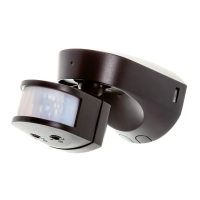
The unit may be suffering from false activation.
Cover the sensor lens completely with black
pvc tape. This will prevent the sensor from
‘seeing’ anything. If the unit now switches
off after the set time duration and does not
re-activate, this indicated that the problem was
caused by false activation. The problem may be
solved by slightly adjusting the direction/angle
of the sensor head (see section 8. Setting up).
If however, the unit continues to remain ON
or to operate randomly then the unit is faulty
and should be replaced.
You may not be allowing the unit time to
complete its warm-up period. Stand well out
of the detection range and wait (the warm-up
period should never exceed 5 minutes).
Occasionally, winds may activate the sensor.


 To Next Page