3 4
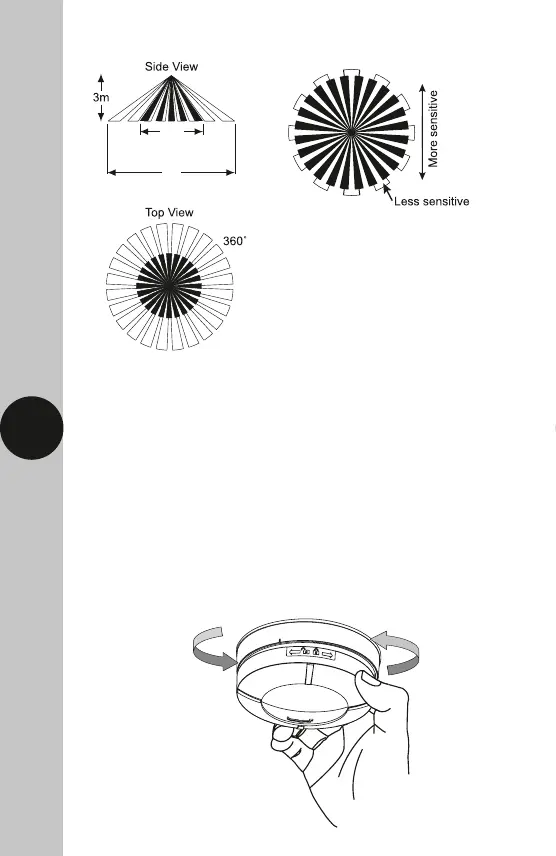
Diagram A Diagram B
5. Installation
• Ensure the mains supply is switched off and the circuit supply fuses
are removed or the circuit breaker turned off.
• An isolating switch should be installed to enable the power to be switched
ON & OFF for maintenance purposes and to activate the manual/auto
override function.
• Remove the top cover of the sensor by twisting the top cover anticlockwise.
The top cover can now be removed from the sensor body.
Up to 8m Motion Detection
Up to 4m
Presence Detection


 To Next Page