EasyManua.ls Logo

Timemaster TM720 - Setting Printing Format

Default Icon
17 pages
Print Icon
To Next Page IconTo Next Page
To Previous Page IconTo Previous Page
Loading...
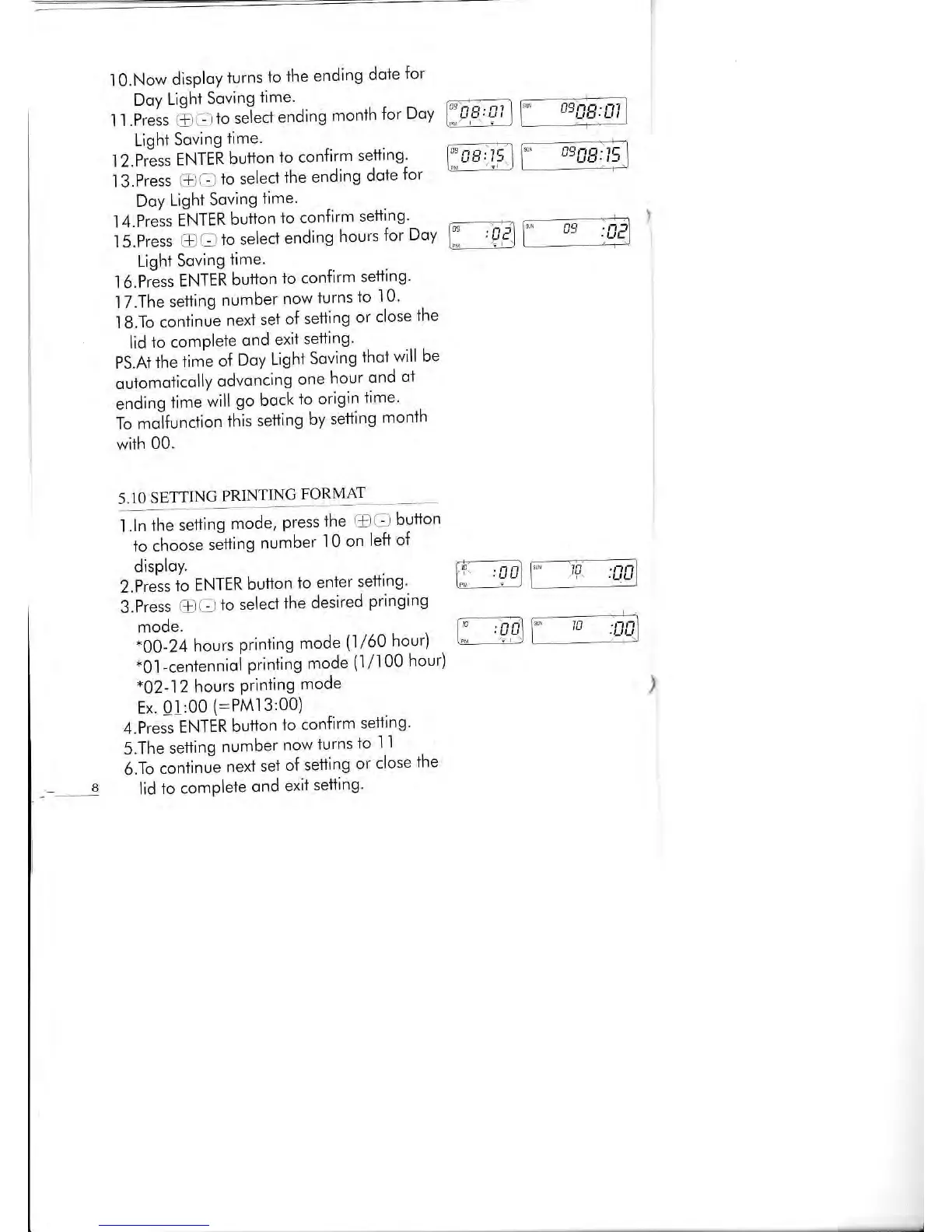
l0.Now
disploy
turns
to
the
ending
dote
for
,r
, .il,''$Sf
l"i"tl""?o'"n
monih
ror
oov
FFlr
l
Light
Soving
time.
l2.Press
ENTER
button
io
confirm
setting'
l3.Press @O
io
select
the
ending
doie
for
Doy
Lighi
Soving
time.
l4.Press
ENTER
button
lo con{irm
setting'
.::-
-
-\
I 5.Press
@
O
to selecf
ending
hours
for
Doy
lll
r
9?l
Lighi
Soving
iime.
l6.Press
ENTER
button
to confirm
setiing'
1 7.The
setting
number
now
iurns
to
l0'
I 8.To
continue
nexi
set
of
setting
or
close
the
lid
io comPlete
ond
exit
setting'
pSA+
ttre
time
of
Doy
Light
Soving
thol
will
be
outomoticolly
odvoncing
one
hour
qnd
ol
ending
time
will
go bock
io origin
time'
To mifunction
ihis
setting
by
setting
month
with
00.
cgEE:frl
09Bg:1t5
09
nln.n
'i
.L,
5.10
SETTING
PRINTING
FORMAT
1 .ln
ihe
setting
mode,
press
ihe
@ O
button
to
choose
sJfiing
numbet
'l
0
on
left
of
disploy.
2.Press
io
ENTER
buiton
io
enier
setting'
3.Press
@Oto
selectthe
desired
pringing
mode.
*00-24
hours
prinling
mode
(1/60 hour)
.
*0,1_ceniennioi
priniing
mode
(1/l00
hour)
*02-12
hours
Priniing
mode
Ex'
01:00
(:PMl3:00)
4.Press
ENTER
button
io confirm
seliing'
5.The
setting
number
now
turns
to
I
l
6.To
coniinue
next
set
of
selling
or
close
the
lid
to comPlele
ond
exit
setting'
I
r,
, n /-rl Lsd irl
,nnl
.LJL']
I
-
.UU
\!tL,iL)

Related product manuals