EasyManua.ls Logo

Timemaster TM720 - 8 Setting Column for Printing Position

Default Icon
17 pages
Print Icon
To Next Page IconTo Next Page
To Previous Page IconTo Previous Page
Loading...
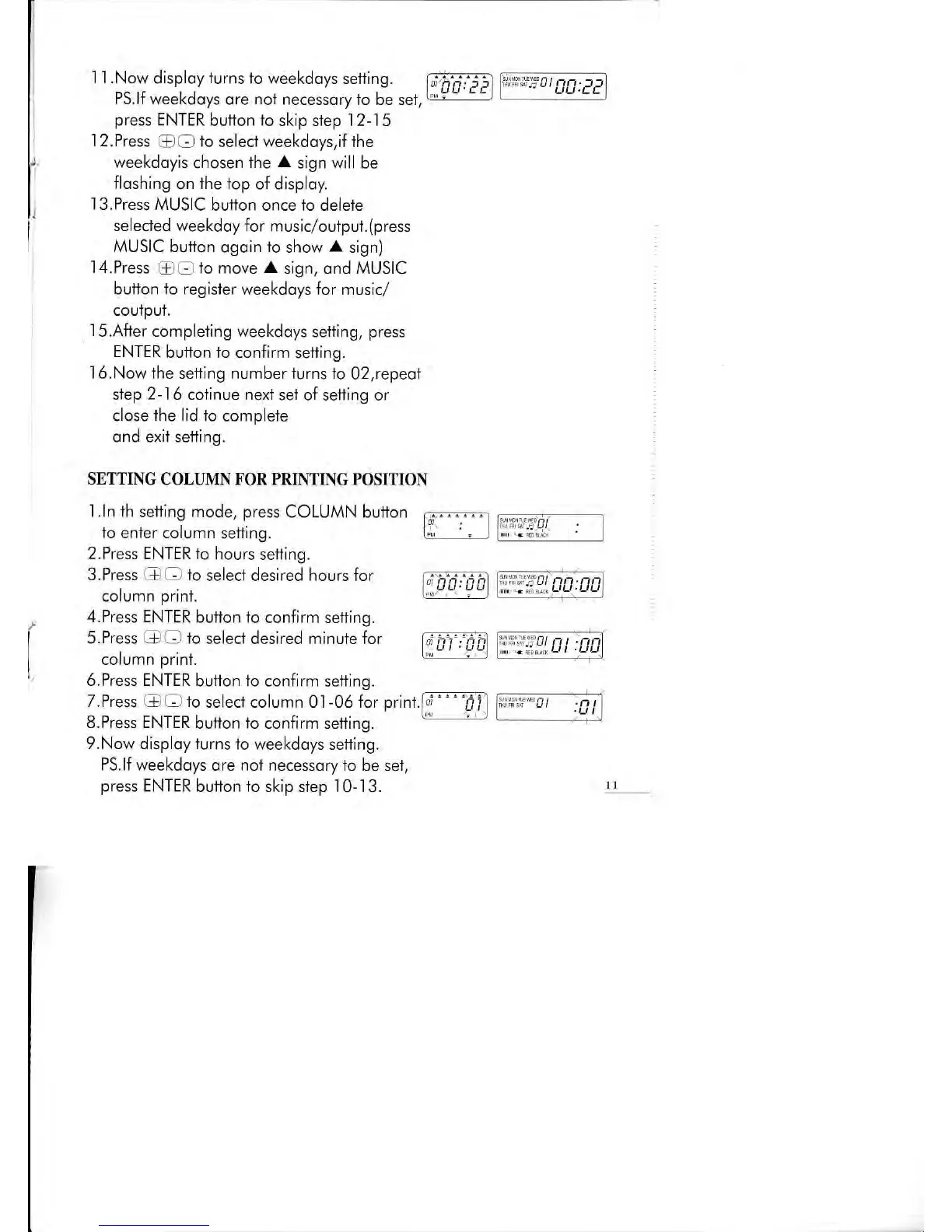
I I .Now
disploy
iurns
1o weekdoys setfing.
PS.lf weekdoys
ore
not
necessory to be set,
press
ENTER
button
io
skip step 12-15
.l
2.Press {D
O
to
selecl weekdoys,if the
weekdoyis
chosen
the
A
sign will be
floshing
on
the top
of disploy.
I3.Press MUSIC
button once lo delele
selecied
weekdoy
for
music/outpul.
(press
MUSIC button
ogoin
lo
show
A
sign)
'l4.Press
@O
1o move
A
sign, ond MUSIC
button to register
weekdoys for music/
courpuT.
'l
5.After compleiing
weekdoys selting,
press
ENTER
button io
confirm setting.
l6.Now ihe
setting number turns io
02,repeot
siep
2-
1 6 cotinue next
sel of setfing or
close
lhe
lid to complete
ond exil sefling.
SETTING COLLMN FOR PRINTING POSITION
t::::"0tEA:EP
t'i"#,
C0:08
i;;i;.:;i
ul
n!.
Dt
:El
)',
D0: DA
',El:EE
1.ln th setting mode, press
COLUMN button
5p--'==1
to enler
column setling.
fil
'-
l
2.Press ENTER to hours
setling.
3.Press G O io
seiect desired hours for
column
print.
4.Press
ENTER button to
confirm setting.
S.Press GIO to
selecl desired minute for
column
prinl.
6.Press ENTER
button 1o confirm setting.
T.Press Q
-
io
selecl column 0l
-06
for
print.[--- pfl
o.TTess Er\ rtrK
ounon
ro
conrtrm sentng.
9.Now
disploy iurns to
weekdoys setting.
PS.lf weekdoys
ore nol necessory to be
sel,
press
ENTER
button 1o skip siep
'10-13.
1t

Related product manuals