T300 T550 Hardware Installation Guide. Page 9
5. Rear Panel
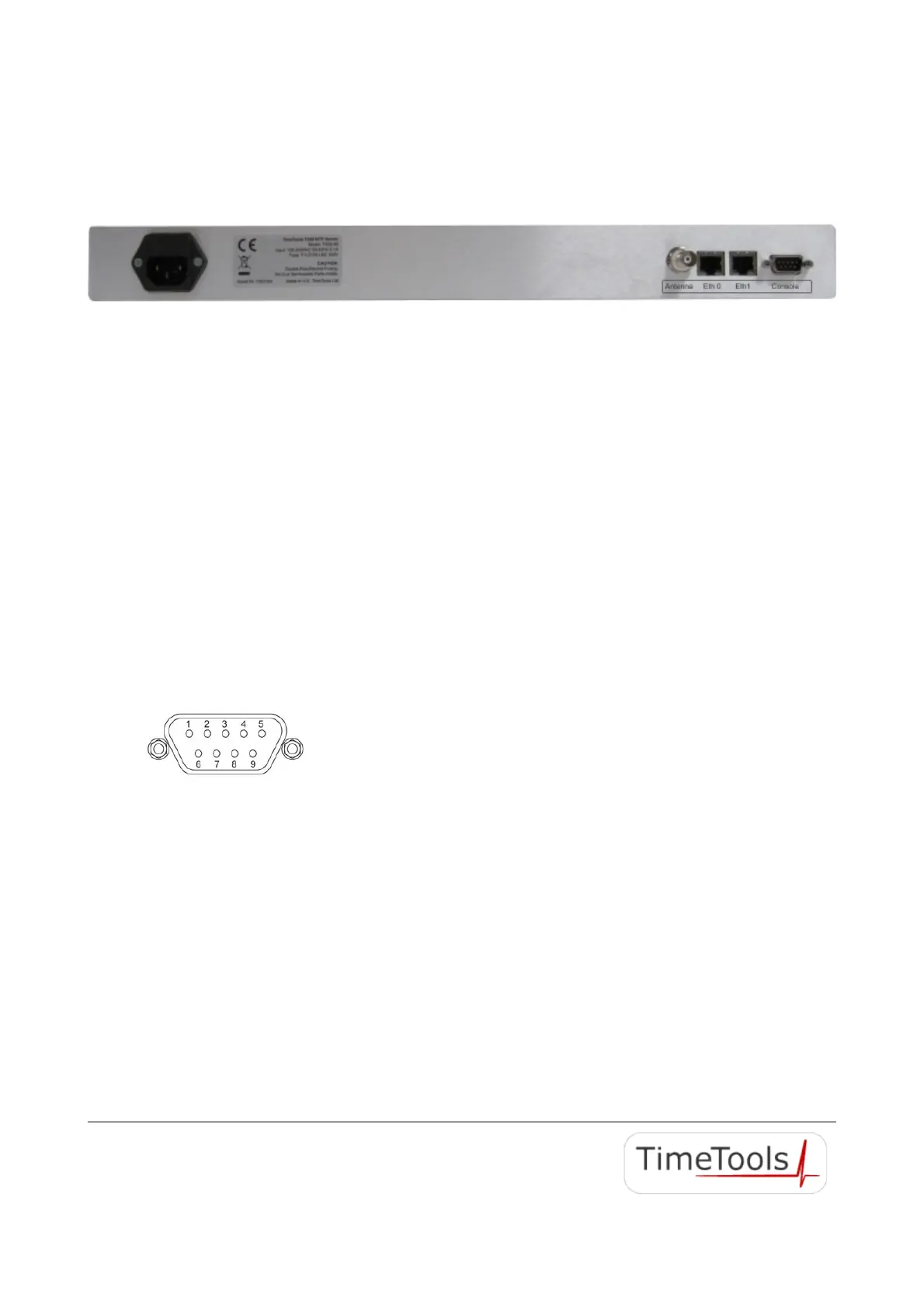
The rear panel of the T300 T550 models have the following connectors: Power, Eth0, Eth1 (T550 only) , Antenna,
Console.
5.1. Power Inlet
Power to the appliance is applied via the double-fused IEC power entry inlet. The appliance accepts 100-240 VAC, 50-
60Hz 0.1A. Fuse specification is two T 0.315A LBC 250V fuses.
5.2. Ethernet Ports
The T300 models have a single RJ45 10/100 MBit auto-sensing, auto-MDIX Ethernet port labelled Eth0.
The T550 models have dual RJ45 10/100 Mbit auto-sensing, auto-MDIX Ethernet ports labelled Eth0 and Eth1.
Link: 10/100 Mbit, auto-sensing, auto-MDIX
Connector: RJ45
Cable Type: CAT 5.0
Modes: Half/Full Auto-negotiation.
5.3. Console
The Console port is a 9-way D-type female RS232 serial connection for device configuration using dumb terminal
emulator. Null modem cable supplied for connection to standard 9-way PC serial interface.
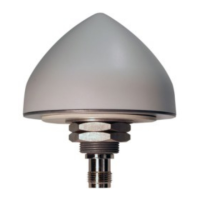
RS232 Console port pin-outs:
Pin 2: RX
Pin 3: TX
Pin 5: GND
The appliance has a secondary serial port for optional serial time code output. It is combined into the same 9-way D-type
connector as the console port. A custom serial cable is required to utilise the secondary serial port.
Secondary RS232 Serial Port pin-outs:
Pin 7: TXB
Pin 8 : RXB
5.4. GPS/GNSS Antenna Connection
The GPS/GNSS antenna connector is a 50 ohm TNC female connector. It accepts a coax cable to a 5V GPS/GNSS
antenna. Use only the antenna and cable supplied by TimeTools with the T300 T550.
2020 TimeTools Limited. All Rights Reserved.


 To Next Page