WATCH OPERATION GUIDE
TIMEX CONFIDENTIAL PROPRIETARY INFORMATION
Quality Control
Page 4 of 6
Model No(s):
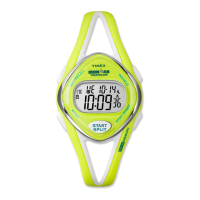
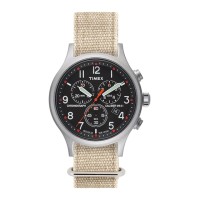
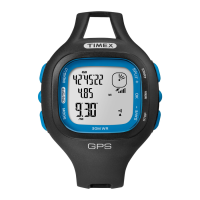
M594 / M657
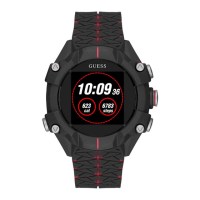
M892
M594-M657-M892 Watch Operation Guide Doc. No./Rev. 20170304
Recall Workouts:
a. Press MODE button until CHRONO appears.
b. Press SET/RECALL button to enter recall mode. Date of last workout flashes.
c. Press START/SPLIT (+) or STOP/RESET (-) button to choose workout to view. Workouts are stored by date.
Multiple workouts maybe stored on same date.
d. Press MODE (NEXT) to enter work out details.
e. Press START/SPLIT (+) or STOP/RESET (-) button to review Lap/Split times of successive laps, BEST lap, AVG lap.
f. To review other workouts, press MODE (NEXT) until date flashes then follow steps b to e.
g. Press SET/RECALL (DONE) to exit.
NOTE: To view lap/split times of current workout, while Chrono is running, press SET/RECALL and START/SPLIT (+) or
STOP/RESET (-) button to scroll through lap/split times, BEST lap, AVG lap. Current lap will not be shown. No other
workouts can be viewed while Chrono is running.
Clear Workouts:
a. With Chrono stopped, press and hold STOP/RESET button. HOLD TO CLEAR LAST WORKOUT appears.
b. Watch will beep. Last stored workout is erased from memory.
c. To clear all workouts, continue to hold STOP/RESET button. HOLD TO CLEAR CHRONO MEM appears. Watch
beeps a second time to indicate all stored workouts are erased. MEMORY 50 will be displayed.
2.4 TIMER
Timer Set-Up:
a. Press MODE button until TIMER appears.
b. Press SET/RECALL button. Hour digits flash.
c. Press START/SPLIT (+) or STOP/RESET (-) button to increase or decrease HOUR.
d. Press MODE (NEXT) button and press START/SPLIT (+) or STOP/RESET (-) button to set minutes.
e. Press MODE (NEXT) button and press START/SPLIT (+) or STOP/RESET (-) button to set seconds.
f. Press MODE (NEXT) button and press START/SPLIT (+) or STOP/RESET (-) button to select STOP AT END or
REPEAT AT END.
g. Press SET/RECALL (DONE) button to confirm and exit.
Timer Operation:
a. Press MODE button until TIMER appears.
b. Press START/SPLIT button to start TIMER. Timer will continue to run if you exit Timer mode.
An alarm melody chimes when Timer reaches zero or before it starts to countdown again.
c. Press STOP/RESET button to stop TIMER. Press again to reset.
NOTE:
For repeat Timer operation, repetition number appears at top right of screen in both countdown and interval timers.
Maximum number of repeats is 99.


 To Next Page
 Loading...