6
Setting the Time
4
6
5
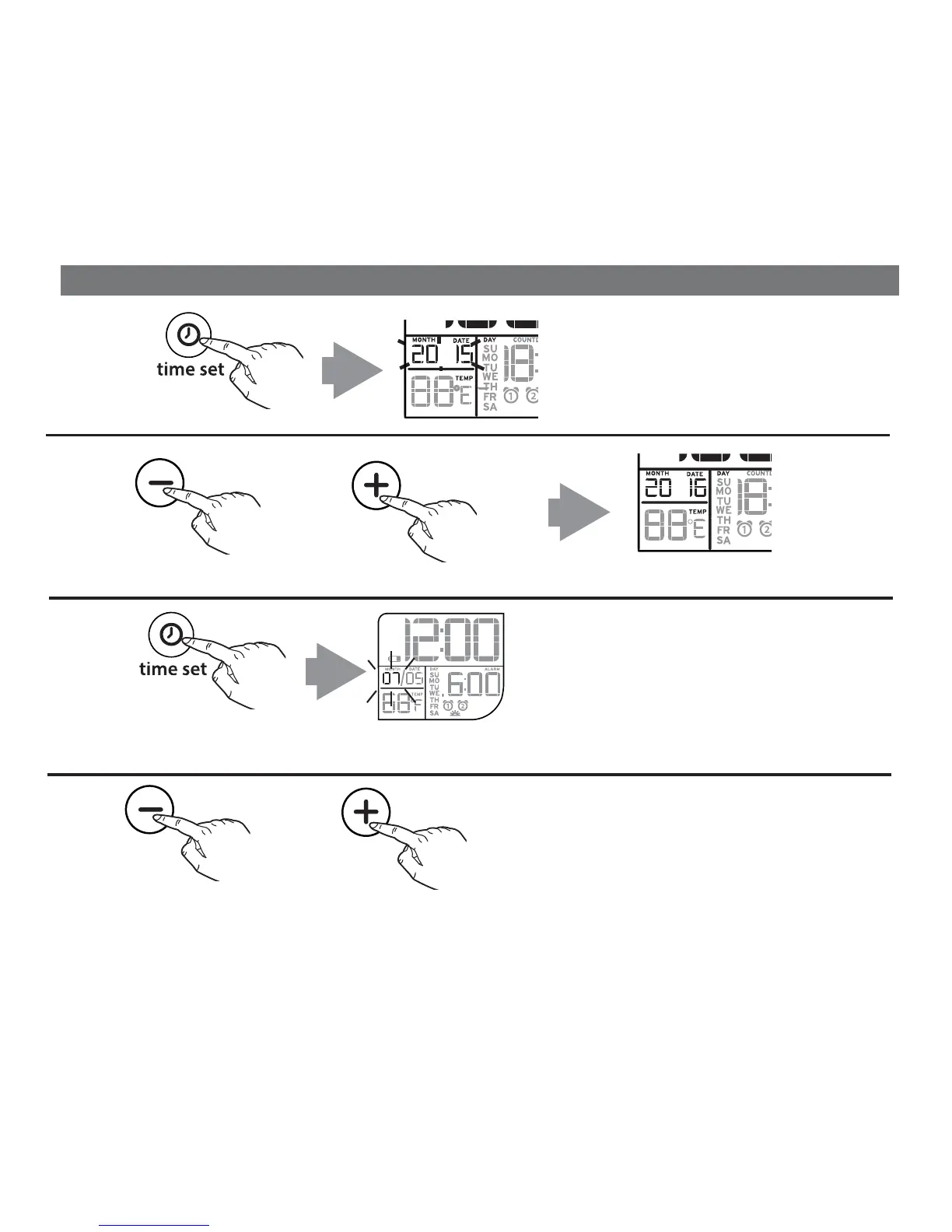
Press the Time Set Button.
The current set year will flash in
the month/day section of the display.
7
Press and release the – or + Set Button to adjust to the current year
OR
Press and release the – or + Set Button to adjust the month.
Press the Time Set Button to confirm the set year. The month will flash.
OR
PM
AM


 To Next Page