Need help?
Do you have a question about the Timex T228B and is the answer not in the manual?
Warnings against opening unit, exposing to moisture, and potential electrical hazards.
Clarifies the lightning bolt symbol for dangerous voltage and operating instructions.
Guidelines for safe placement regarding water, airflow, and heat sources.
Advice on power sources, cord protection, polarization, and cleaning procedures.
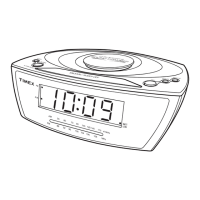
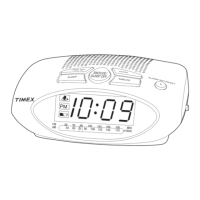
Identifies and describes the function of main buttons like Time Set, Snooze, Hour, Minute, Alarm Set.
Explains the meaning of display elements such as Alarm Indicator and PM Indicator.
Guidance on unit placement, protecting furniture, and proper cleaning methods.
Instructions for installing a 9-Volt battery to maintain clock and alarm settings.
Steps to set the current time using hour and minute buttons.
How to set the desired wake-up time and select alarm sound.
Instructions for turning on the radio, selecting stations, and adjusting volume.
How to set the radio to turn off after a specified sleep time.
Details on product warranty, what's covered, and how to obtain service.
Procedures for returning the product for repair or replacement under warranty.
 General
| Brand | Timex |
|---|---|
| Model | T228B |
| Category | Clock Radio |
| Display Type | LED |
| Snooze Function | Yes |
| Radio Bands Supported | AM/FM |
| Power Source | AC Power |
| Battery Backup | Yes |
| Alarm Type | Buzzer |

 To Next Page