3. Adjusting the Height
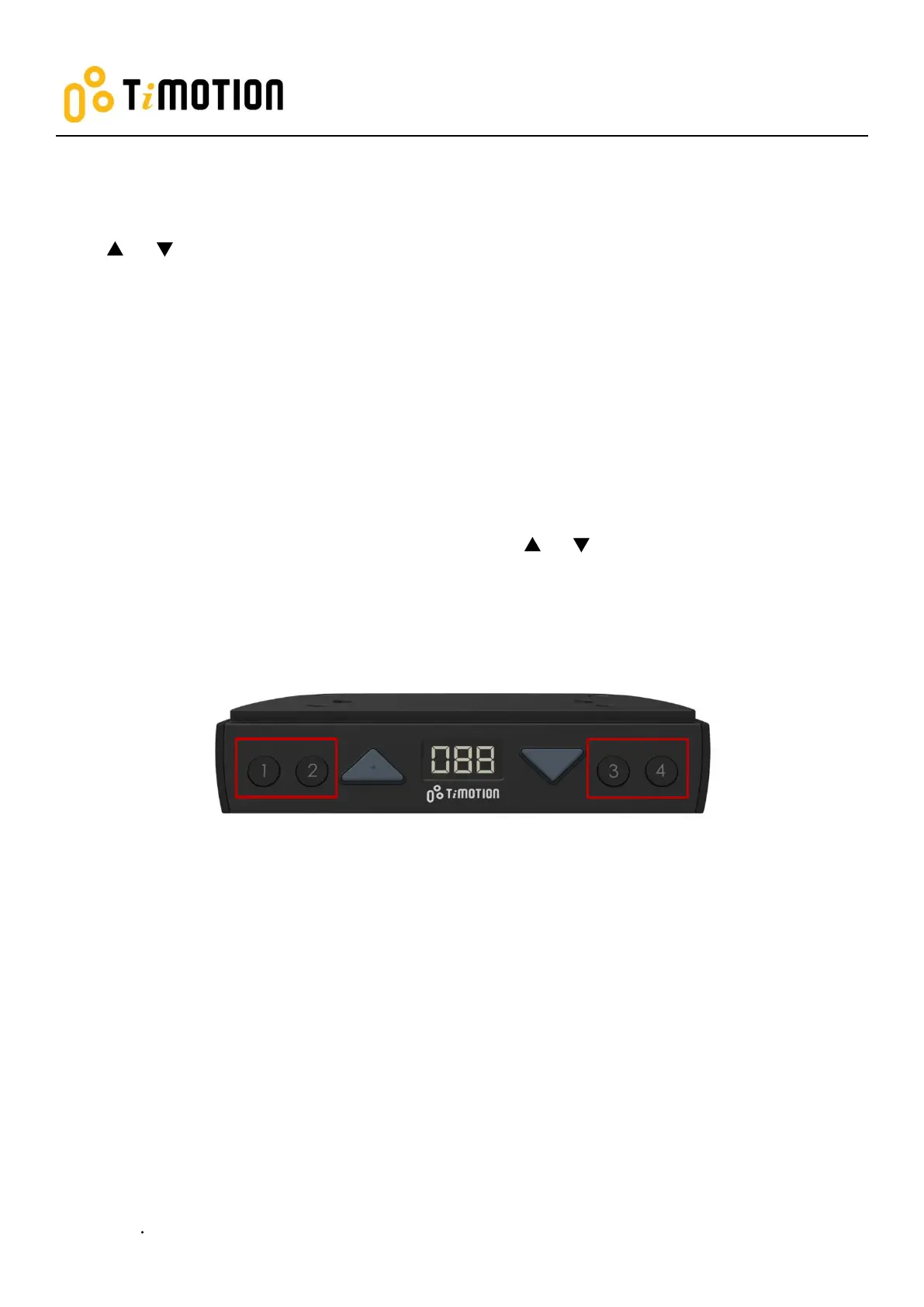
Press or button until the desk reaches the preferred height.
4. Setting the Memorized Position
TDH5 supports a maximum of 4 memory positions.
How to memorize a position:
1. Adjust the desk to the desired height.
2. Press the preferred memory button (1, 2, 3, 4), with either or for 2 seconds. Once the display
shows P1, P2, P3, or P4, then the position has been memorized.
3. Press (and hold) button 1, 2, 3, or 4 to move the desk to the memorized position. (Note 1)
Note 1: The control box setting determines whether or not the memory button needs to be held.


 To Next Page