
 Need help?
Do you have a question about the TINY Hawk II Freestyle and is the answer not in the manual?
Safety guidelines for operation, health, environment, and modifications.
Information on how to get updates and technical support for the product.
Technical specs including wheelbase, size, weight, motor, propeller, and flight controller.
Specs for the radio transmitter including size, weight, channels, and power.
Specs for the FPV goggles including size, weight, and resolution.
Lists all items included in the package, such as the drone, radio, goggles, and accessories.
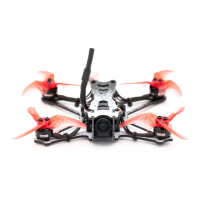
Explains the physical layout and components of the Tinyhawk II Freestyle drone.
Illustrates the layout and buttons of the radio transmitter.
Shows the components and controls of the FPV goggles.
Instructions for charging the radio and installing/charging the battery.
How to turn the radio transmitter on and off.
Steps to bind the radio transmitter to the Tinyhawk II Freestyle.
Use trim buttons for gimbal adjustments for stable hover.
Recalibrate radio transmitter gimbals for better accuracy.
Instructions for charging goggle battery and troubleshooting low power.
Steps to assemble goggles, including attaching antennas and battery.
How to power the goggles on and off using the battery.
Manually select video channels and frequency bands for FPV feed.
Use auto scan feature to find the correct video channel.
Adjust brightness, contrast, and saturation on goggle display.
Correct orientation and mounting procedure for propellers for safe flight.
How to adjust VTX settings like band, channel, and power using Betaflight OSD.
Diagram showing VTX connections and control button functions.
Interpret LED indicators for VTX status.
Enter and exit VTX configuration menu using the button.
Navigate and exit VTX band, channel, and power settings.
Change VTX band, channel, and power parameters using the button.
Table of factory default VTX configurations for compliance.
Access adjustable VTX power settings and country compliance.
Overview of flight controller board, MCU, gyro, and integrated ESCs/receiver.
Details about integrated receiver, channels, and compatibility.
Steps to bind radio transmitter and receiver for flight.
Use Betaflight configurator to initiate binding process.
Default channel map, arm switch, flight modes, beeper, and turtle mode config.
Optimized PID profile for outdoor flight with specific batteries.
Different rate profiles for thumber and pincher flying styles.
Use Betaflight Configurator to change programmed settings.
Steps to put flight controller into DFU mode and reprogram firmware.
Procedure to restore default settings using CLI dump file in Betaflight.
Explanation of left and right stick functions for drone control.
Visual guide to left stick movements and drone effects.
Visual guide to right stick movements and drone effects.
Steps to power on, calibrate, and prepare drone for its first flight.
Procedure to arm the drone, making propellers ready to spin.
Description of flight modes (Rate, Intermediate, Easy) and switching.
Explanation of Easy flight mode and its attitude-based control.
Explanation of Intermediate mode, angle limits, and pitch/roll effects.
Explanation of Advance mode, offering full control and rate-based input.
Guidance on learning to fly the drone using line of sight.
Instructions for FPV flying, including VTX channel matching and OSD usage.
Critical safety warnings regarding surroundings and age recommendations.

 To Next Page
 General