User Name: admin
Password: admin
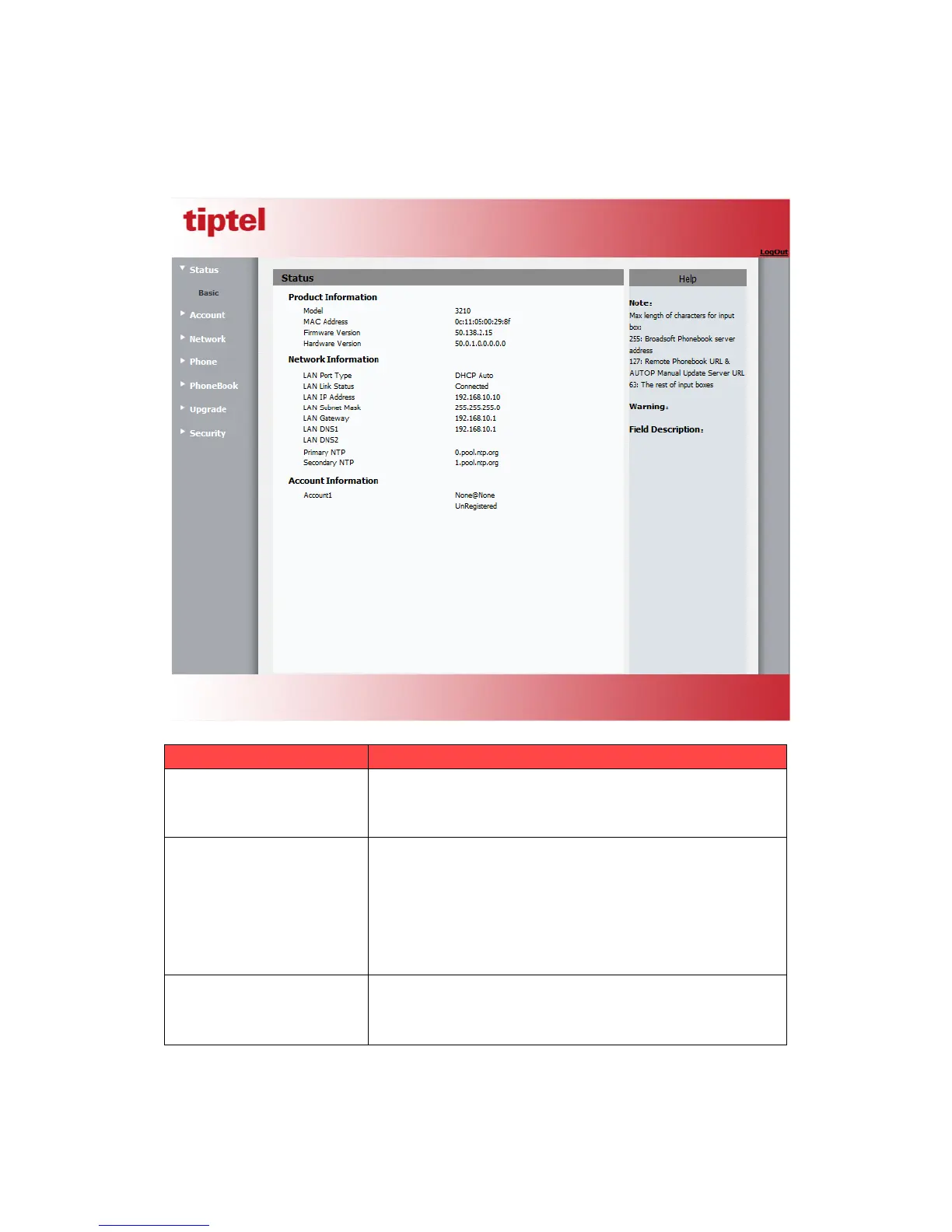
4. After successfully log in, it will automatically locate to Sta tu s ->Basic Page as shown
below:
To display the device’s information such as Model name, MAC
address (IP device’s physical address), Firmware version and
Hardware firmware.
To display the device’s Networking status(LAN Port),such as
Port Type(which could be DHCP/Static/PPPoE), Link Status,
IP Address, Subnet Mask, Gateway, Primary DNS
server, Secondary DNS server, Primary NTP server
and Secondary NTP server(NTP server is used to synchronize
time from INTERNET automatically).
To display device’s Account information and Registration
status (account username, registered server’s address,
Register result).
Sta tu s->Basic page is used to display some basic information for IP Phone. Please refer to



 To Next Page