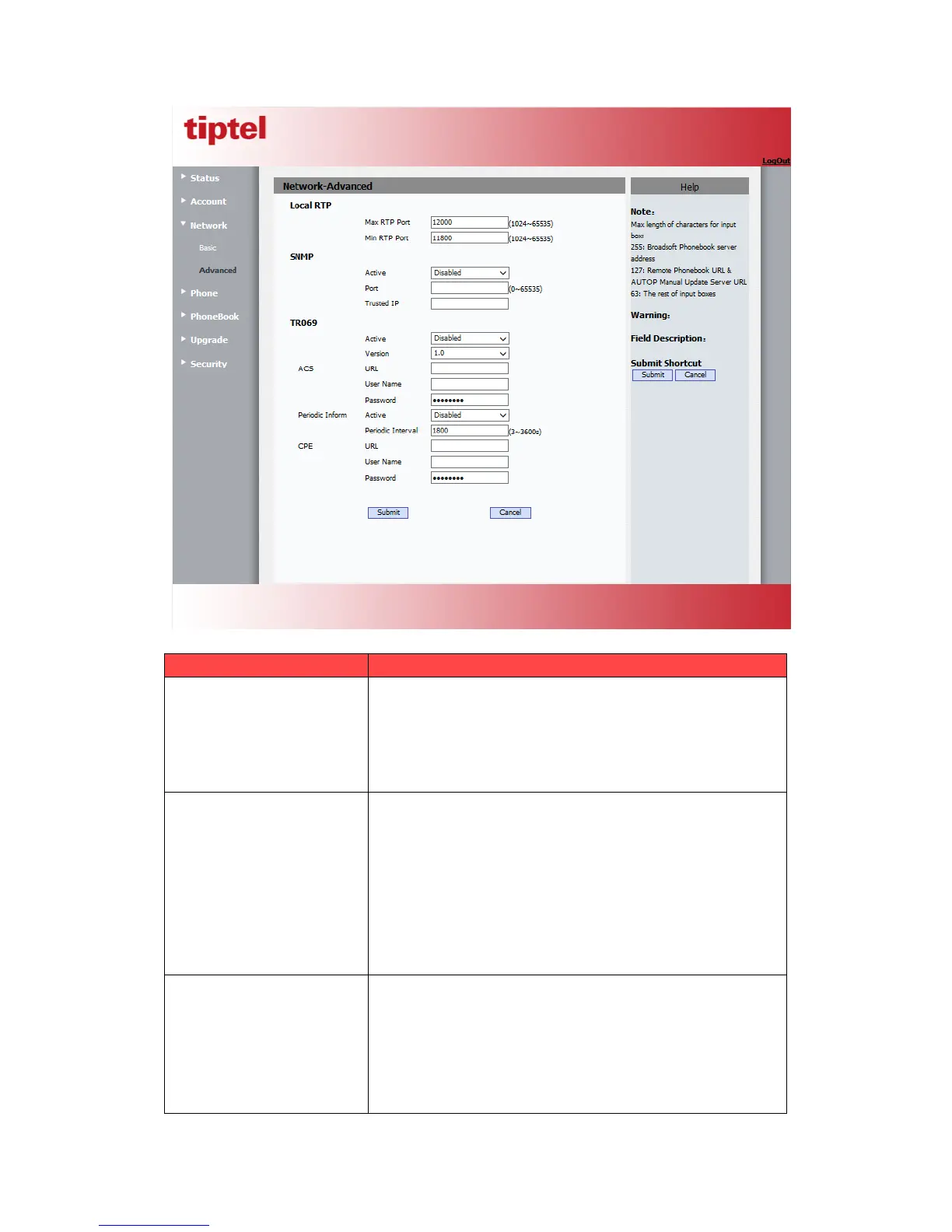
To display and configure Local RTP settings.
Max RTP Port: Determine the maximum port that RTP
Min RTP Port: Determine the minimum port that RTP
stream can use.
To display and configure SNMP settings.
Active: To enable or disable SNMP feature.
Port: To configure SNMP server’s port.
Trusted IP: To configure allowed SNMP server address, it
could be an IP address or any valid URL domain name.
Note
: SNMP(Simple Network Management Protocols) is
Internet-standard protocol for managing devices on IP
networks.
To display and configure TR069 settings.
Active: To enable or disable TR069 feature.
Version: To select supported TR069 version (version 1.0
ACS/CPE: ACS is short for Auto configuration servers as
server side, CPE is short for Customer-premise



 To Next Page