understanding that message will reply with a SIP NOTIFY message containing the Auto Provisioning Server URL
where the phones can request their configuration. Modern SIP PBXs/Proxies can provide the PnP configuration
data. Please refer to the manual of your PBX/Proxy. This kind of auto provision is mainly used under some possible
circumstance like your phones have no default provisioning server set and are not able to detect DHCP options
(when the they use static IP address). Pay attention to the point that PnP config has the highest priority in
obtaining the provisioning server address and if it fails to get any information from PnP servers, it won‟t go to other
processes.
2.1.2 Detect DHCP custom option.
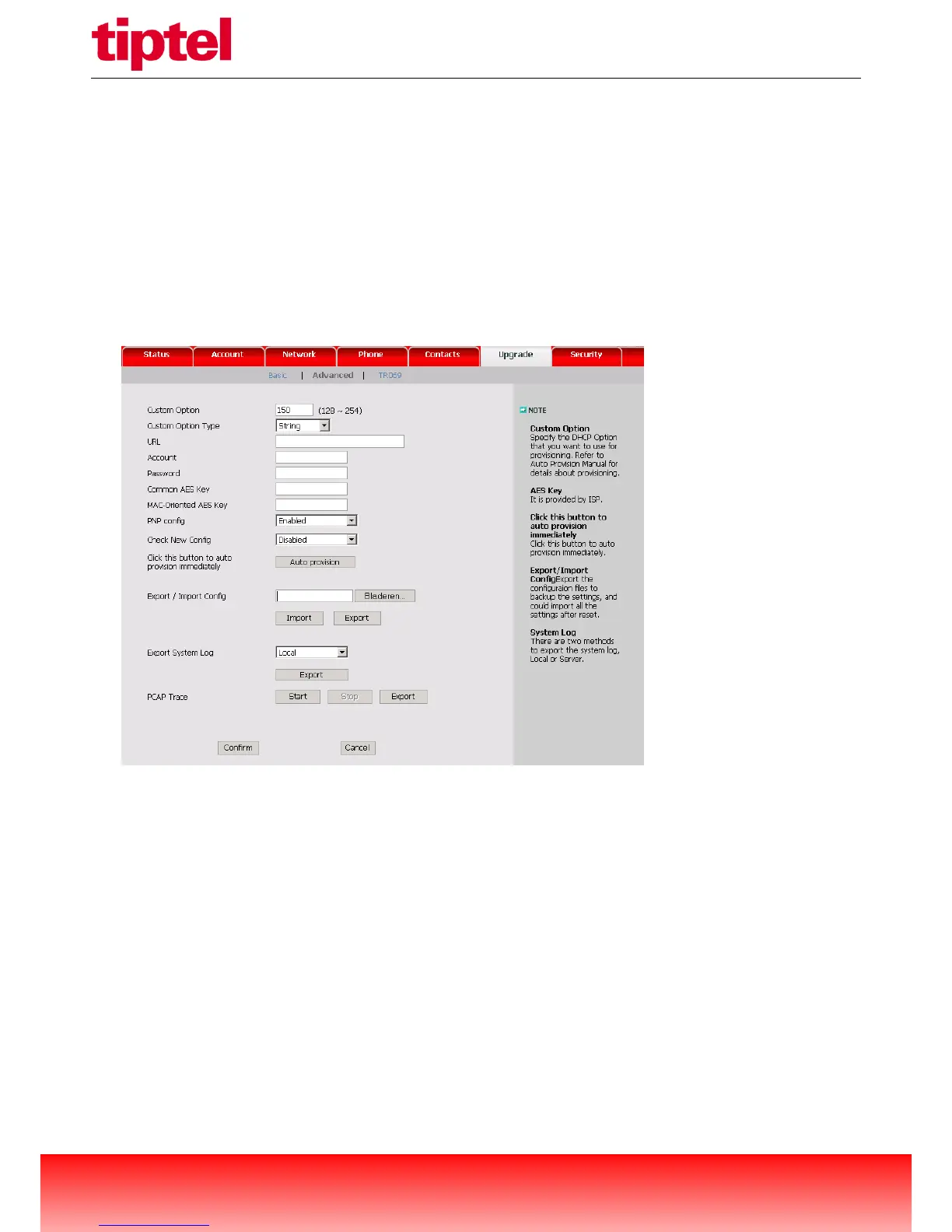
It must be configured on the phone by web management:
Note: A valid Custom Option is from 128 to 254. The Custom Option Type must be in accordance with the one
defined in the DHCP server. If the phone fails to get any information from custom option, it will go to detect DHCP
Option 66.
2.1.3 Detect DHCP Option 66.
The IP phones will check this option by default. If the phone fails to get any information from DHCP Option 66, it will
go to detect DHCP Option 43.
2.1.4 Detect DHCP Option 43.
The IP phones will check this option by default. If the phone fails to get any information from DHCP Option 43 and
Check New Config is not Disabled, it will go to detect the phone flash.



 To Next Page