EasyManua.ls Logo

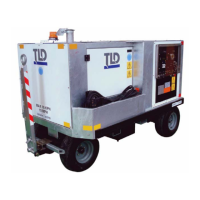
TLD GPU-406 - User Manual

Default Icon
74 pages
Print Icon
To Next Page IconTo Next Page
Loading...
Creation: 01.31 - 2014
GPU - 406
GPU - 409
CHAPTER 2
MAINTENANCE/MINOR REPAIR
Property of American Airlines

Other manuals for TLD GPU-406

Questions and Answers

  • K
    Kiara EspinozaAug 18, 2025
    How to fix a TLD Portable Generator when the engine won't start and the starter won't crank?
    • M
      Michelle RodriguezAug 19, 2025
      First, check the battery disconnect switch (S6) and the emergency stop switch (S22) to ensure they are functioning correctly and allowing 24VDC to pass through. Next, verify that the battery (BT1/BT2) is charged and that there are no connection issues; the voltage across both batteries should be approximately 24VDC, and this voltage should reach the starter relay and ignition switch. Also, inspect the F2 fuse and replace it if it's blown. If these steps don't resolve the issue, the GCM, starter relay (K4), or starter motor (M11) may be defective and require replacement. If all components appear to be functioning, internal seizure may be indicated, and you should contact the engine manufacturer for repair.
  • A
    Amanda MasseyAug 26, 2025
    Why is the cranking speed low when trying to start my TLD Portable Generator engine?
    • K
      kriceAug 26, 2025
      A low cranking speed can be due to several reasons. First, check the battery (BT1/BT2) to ensure it has 24VDC; charge or replace it if necessary. Also, inspect the starting circuit for loose terminals or corroded wiring; tighten connections or replace wiring as needed. Finally, verify that the lubricating oil has the proper viscosity.
  • C
    cyoungAug 30, 2025
    Why does my TLD Portable Generator engine start but then stop after 5 seconds?
    • W
      William HuangAug 30, 2025
      The engine shutdown circuit may have activated to prevent engine damage due to low oil pressure. Check the GCM display for an engine fault related to low oil pressure. The oil pressure sensor may be faulty and need replacement.
  • D
    Daniel BurtonSep 1, 2025
    What causes the output contactor to open during power delivery on my TLD Portable Generator, with the GCM displaying “FAULT LATCHED, FREQUENCY LOW”?
    • G
      George VegaSep 1, 2025
      This issue can occur due to a few reasons. First, check for a faulty connection between the voltage sensing wire on the contactor terminal and the GCM, and correct the wiring if necessary. Also, the engine speed might be set too low, so increase the engine speed setting within the GCM. If these steps don't resolve the problem, the engine ECM or the GCM may be faulty and require replacement. Additionally, the engine might be overloaded, so reduce the load at the aircraft.
  • B
    benjaminharrisonSep 3, 2025
    Why does the output contactor open during power delivery on my TLD Portable Generator, and the GCM displays “FAULT LATCHED, FREQUENCY HIGH”?
    • W
      walkerpatriciaSep 3, 2025
      This issue can be caused by a faulty connection between the voltage sensing wire on the contactor terminal and the GCM, so correct the wiring. Another possible cause is that the engine speed is set too high; decrease the engine speed setting within the GCM. If neither of these fixes the issue, the engine ECM or the GCM may be faulty and require replacement.
  • J
    James GoodSep 6, 2025
    Why does my TLD GPU-406 Portable Generator engine lack power?
    • S
      Sharon SpearsSep 6, 2025
      A lack of power can stem from several issues. Check the fuel supply and return lines for kinks and leaks to ensure sufficient fuel. Also, inspect the air cleaner restriction indicator and replace the engine air filter if necessary to ensure sufficient inlet air. Additionally, check the exhaust pipe for restrictions and the muffler for clogs, replacing components as required. If the GCM is reporting diagnostic trouble codes, the engine may require maintenance or repair.
  • S
    Stephen AllenSep 8, 2025
    Why is my TLD Portable Generator engine running unsteady?
    • T
      Trevor VaughnSep 9, 2025
      An unsteady engine can be caused by insufficient fuel, so check the fuel supply and return lines for kinks and leaks. It could also be due to a defective fuel pump, which would need to be replaced. If the GCM display is reporting diagnostic fault codes, the engine may require maintenance or repair.
  • C
    Cynthia RobertsonSep 12, 2025
    Why does the output contactor open during power delivery on my TLD Portable Generator, and the GCM displays “FAULT LATCHED, OVERLOAD”?
    • M
      mark13Sep 12, 2025
      This issue typically arises when there is too much load on the GPU, so reduce the load at the aircraft. It can also be caused by a faulty GCM, which would need to be replaced. Another potential cause is a faulty connection between the GCM and the voltage sensing terminals on the output contactor K16, or between the GCM and the current sensing transformers; correct the wiring in these cases.
  • Z
    Zachary BakerSep 15, 2025
    What does it mean when low fuel shut down has occurred on my TLD GPU-406 Portable Generator?
    • B
      Brian NorrisSep 15, 2025
      This is a normal operation for units equipped with a low fuel shutdown. Add fuel to the GPU before continuing use.
  • B
    Brittany DavidsonNov 20, 2025
    What to do if my TLD GPU-406 Portable Generator engine won't start but the cranking speed is normal?
    • A
      Ana ReyesNov 20, 2025
      First, ensure that the fuel level is adequate. Next, check the check valve (V1) on the fuel suction line for any defects. Inspect all fuel lines and connections between the tank and fuel pump for leaks or damage, and tighten or replace them as needed. Also, examine the fuel filter for clogs or defects, and replace it if necessary, checking the gaskets and hoses for leaks. If the problem persists, the fuel pump may be faulty and require inspection, or there may be a faulty connection between the engine controller and the GCM on the J1939 bus, indicated by a 0.0V engine charging voltage on the GCM display, requiring repair of the J1939 bus connections. Finally, ensure the engine is receiving the key switch power signal and that the emergency stop (S22) and key switch power relay (K10) are no...

Summary

Periodic Maintenance Procedures

Component Maintenance Schedule

Details the required maintenance for various unit components based on usage.

Filters and Lubricants Selection

Lists recommended filters and lubricants with part numbers for unit maintenance.

Air Cleaner Maintenance and Replacement

Instructions for cleaning and replacing the air filter element for optimal engine performance.

Engine Fuel Quality and Filtration

Guidance on using correct diesel fuel and maintaining the fuel filter system.

Cooling System Antifreeze Requirements

Specifies the type of antifreeze recommended for the unit's cooling system.

Belt Inspection and Replacement

Procedures for inspecting and replacing the drive belts on the unit.

Generator Cleaning and Care

Instructions for cleaning the generator to ensure its proper functioning and longevity.

Battery Location and Care

Information on battery location, maintenance, and safe handling practices.

Cables and Cable Heads Inspection

Guidelines for inspecting power cables and plugs for wear and damage.

Diesel Exhaust Fluid (DEF) Management

Procedures for checking and replenishing Diesel Exhaust Fluid for Tier 4 engines.

Preventative Maintenance Tasks

Engine Preventative Checks

Routine checks for engine fuel, lubrication, coolant, and exhaust systems.

24 VDC Electrical System Checks

Inspection of lights, wiring, and connections for the 24 VDC system.

115 VAC Generator Electrical System Checks

Regular checks of generator controls, monitoring instruments, and wiring.

Component Removal and Installation

Engine and Generator Assembly Handling

Procedures for removing and installing the engine/generator assembly safely.

Engine and Generator Coupling;Uncoupling

Steps for separating and joining the engine and generator components.

Electrical Box Removal and Installation

Instructions for removing and reinstalling the unit's electrical control box.

Radiator Removal and Installation

Steps for safely removing and installing the engine radiator assembly.

Cable Assembly Removal and Installation

Procedures for removing and installing the main power cable assembly.

Troubleshooting Common Issues

General Pre-Troubleshooting Checks

Essential checks of electrical systems and oil pressure before diagnosing problems.

Troubleshooting Chart Reference

Guide to using the chart in conjunction with schematics for problem resolution.

Repair Procedures and Specifications

Bolt Torque Specifications

Chart detailing recommended torque values for various bolt sizes and grades.

Metric Bolt Torque Values

Table of recommended torque values for metric bolts used in assembly.

Unit Adjustments Overview

List of adjustable parameters for operations and maintenance personnel.

Operations Personnel Adjustments

Adjustments for current limiting on 28.5 VDC output.

Maintenance Personnel Adjustments

Adjustments for AC voltage and line drop compensation settings.

Interpreting Technical Diagrams

Component Identification Codes

List of alphanumeric codes used to identify components on schematics.

Schematics and Diagram Usage Guide

Guidance on referencing and using exact unit construction diagrams.

GMC2 Control Module Setup and Configuration

Software Installation and Update

Steps for installing and updating the GMC2 module firmware.

GMC2 Initialization and Adjustment Procedure

Guide for initial setup, configuration, and adjustments of the GMC2 module.

User Preference Settings Configuration

Customizing operational and display preferences for the GMC2 module.

Ground Power Unit Parameter Configuration

Setting core GPU operational parameters via the GMC2 module.

Output Calibration Procedures

Calibrating voltage, current, and power readings displayed by the GMC2 module.

TLD GPU-406 Specifications

General IconGeneral
BrandTLD
ModelGPU-406
CategoryPortable Generator
LanguageEnglish

Related product manuals