Creation: 1.31 – 2014 2-7-11
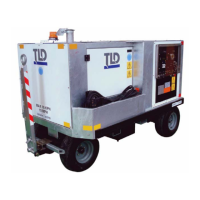
// 1043 = TLD GPU 90kVA w/2 Outputs & 28VDC
// 0144 = TLD GPU 90kVA G-DRIVE Fixed RPM
// 0145 = TLD GPU 90kVA G-DRIVE Fixed RPM w/28VDC
// 1050 = TLD GPU 120kVA
// 1051 = TLD GPU 120kVA w/28VDC
// 1060 = TLD GPU 140kVA
// 1061 = TLD GPU 140kVA w/28VDC
// 1070 = TLD GPU 180kVA
// 1071 = TLD GPU 180kVA w/28VDC
The load defaults setting is “1000” by default. The “1000” setting provides no changes. The load defaults
option is to be used in the following manner:
1. Select the “Load Defaults” setting. The setting “1000” will appear at the right.
2. Use the rotary dial to adjust the setting until it matches the desired GPU model setting listed above. For
example, to load the default settings for a 90 KVA GPU with a single output cable and a 28VDC output,
change the setting to “1042”.
3. Press the rotary dial button down to activate the settings. All of the adjustment settings associated with
your particular GPU model are now loaded with the default values.
4. Exit the Adjust Menu to save permanently the settings that were loaded in the previous step. This is
done by pressing and holding the rotary dial button down for 2 seconds.
Property of American Airlines



 To Next Page