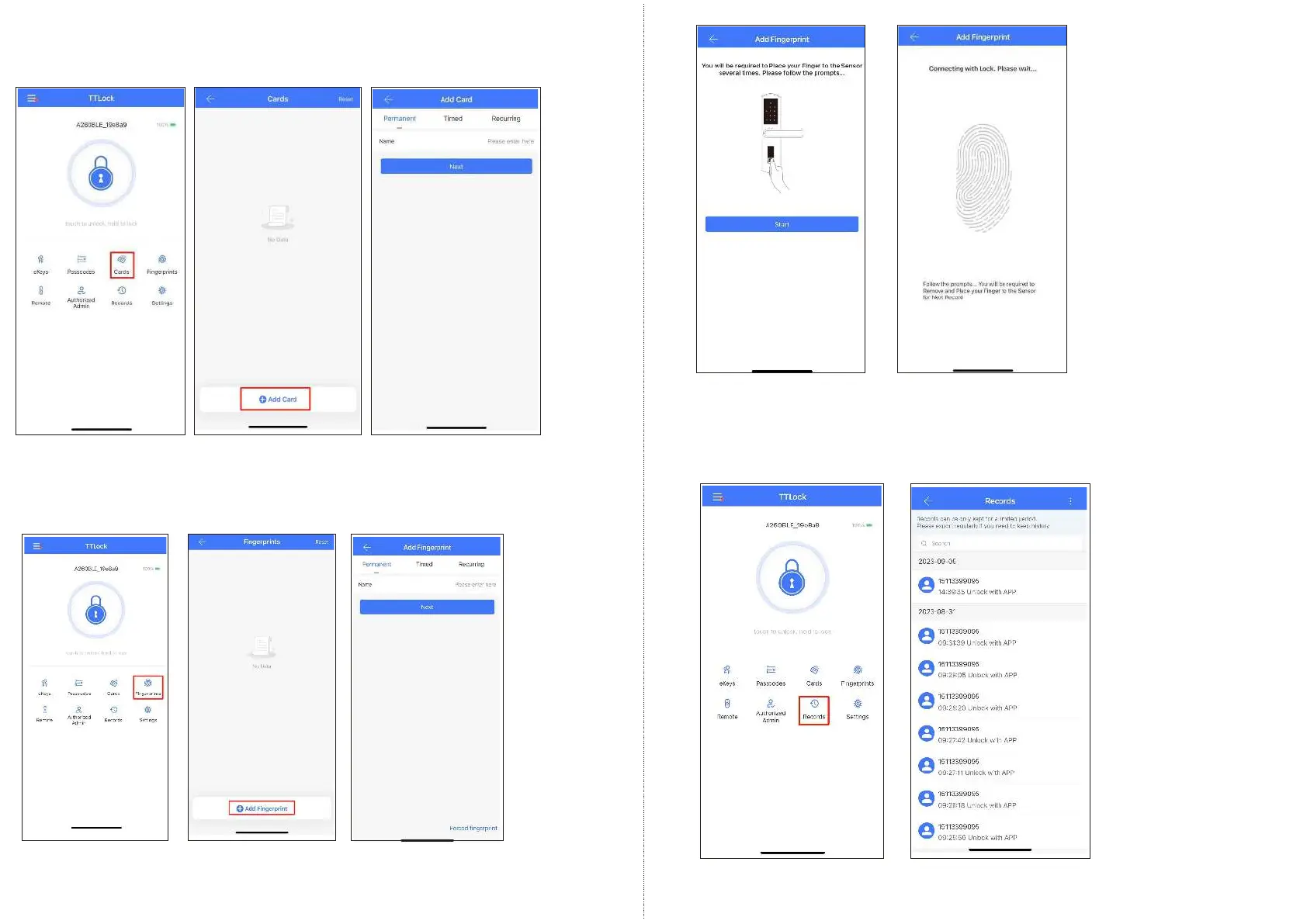
5. IC Cards
You can match two types of IC Card: Permanent or Timed.
Place the card against the card reader sensor on the smart lock (keypad panel)
6. Fingerprints
You will be required to Place and Remove your finger to the sensor several times,
please follow the prompts.
7. Records
It records the time and manner of the smart lock when someone opening or closing.
Manage your Bluetooth lock safely and efficiently.
EN - 11 support@tmezon.comEN - 12 support@tmezon.com



 To Next Page