EasyManua.ls Logo

TMEZON MZ-IP-V142B - User Manual

Default Icon
39 pages
Print Icon
To Next Page IconTo Next Page
Loading...
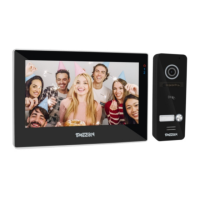
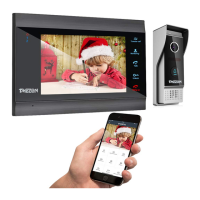
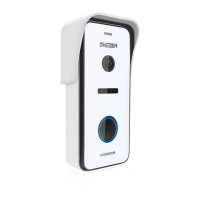
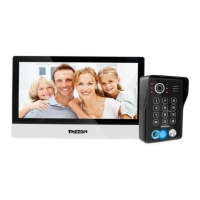
4-Wire IP Video Door Phone
10'' Touch Screen Series
Quick guide
Official Website: http://www.tmezon.com
Manufacturer: Zhuhai Tmezon Technology Co.,Limited
Address: No.6.Pingbei 2nd.Rd, NANPING Technology Area,
Zhuhai City,Guangdong,China
If you have any problem during the installation or the usage,
please send email to our support team, we will help you
solve the problem ASAP.
Support email: support@tmezon.com
English/Deutsche/Français/Italiano/Español
Question and Answer IconNeed help?

Do you have a question about the TMEZON MZ-IP-V142B and is the answer not in the manual?

Summary

Operation and Product Overview

Indoor Monitor Setup and Specifications

Indoor Monitor Specifications

Details the technical specifications for the indoor monitor units.

Wiring and Installation Guide

Wiring Connection Notes

Important notes and best practices for connecting the system's wiring.

Cable Type and Distance Recommendations

Guidance on choosing correct cables and maximum transmission distances.

Indoor Monitor Installation and Diagrams

Indoor Monitor Installation Process

Step-by-step guide for the physical installation of the indoor monitor.

Indoor Monitor Component Description

Outdoor Camera Setup and Specifications

Connectivity and Network Setup

Electric Lock Connection Notes

Guidance on wiring electric locks, including NC and NO types.

Network and Wi-Fi Setup

Instructions for connecting the device to the network and Wi-Fi.

TMEZON MZ-IP-V142B Specifications

General IconGeneral
ConnectivityWi-Fi, Ethernet
Power SupplyDC 12V
Viewing Angle90 degrees
WaterproofIP65
Humidity10% to 90% RH
Weight1.2 kg
InstallationWall-mounted
Resolution800 x 480 pixels
Camera1 MP
Night VisionIR night vision
TypeVideo intercom
Operating Temperature-10°C to 50°C
Display7 inch TFT LCD screen
AudioTwo-way intercom

Related product manuals