EasyManua.ls Logo

TMEZON MZ-VDP-NE120 - User Manual

Default Icon
31 pages
Print Icon
To Next Page IconTo Next Page
Loading...
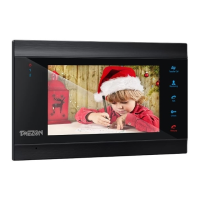
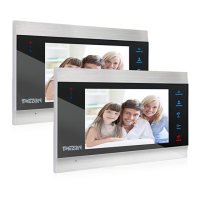
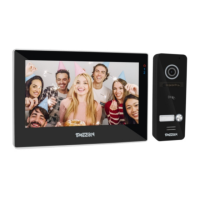
7'' Indoor Monitor
OPERATION INSTRUCTION
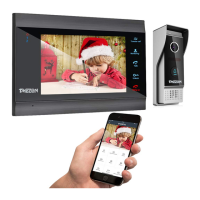
4-Wire Video Door Phone
User Manual
Official Website: http://www.tmezon.com
Manufacturer: Zhuhai Tmezon Technology Co.,Limited
Address: No.6.Pingbei 2nd.Rd, NANPING Technology Area,
Zhuhai City,Guangdong,China
If you have any problem during the installation or the usage,
please send email to our support team, we will help you
solve the problem ASAP.
Support email: support@tmezon.com
Question and Answer IconNeed help?

Do you have a question about the TMEZON MZ-VDP-NE120 and is the answer not in the manual?

Summary

Operation Instruction

Note On Wiring Connection

Wiring Connection

Details wiring requirements to avoid interference and ensure proper connection.

Wiring Diagram

Indoor Unit Description

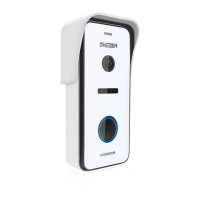
Outdoor Doorbell Instruction

Wiring Diagram

Outdoor Unit Installation Process

MZ-VDP-NA200 Installation

Step-by-step guide for surface mounting the MZ-VDP-NA200 outdoor unit.

Connecting Electronic Control Lock

Door Lock Connection Notes

Important notes regarding NC/NO lock types and voltage requirements.

NO Lock Wiring

Wiring instructions for Normally Open (NO) electronic door locks.

NC Lock Wiring

Wiring instructions for Normally Closed (NC) electronic door locks.

TMEZON MZ-VDP-NE120 Specifications

General IconGeneral
ConnectivityWi-Fi, Ethernet
MaterialPlastic
ColorWhite
Display7 inch TFT LCD
FeaturesMotion Detection, Night Vision, Two-way Intercom
Operating Temperature-10°C to 50°C
Humidity10% to 90% RH

Related product manuals