Need help?
Do you have a question about the TMEZON MZ-VDP-NA262F and is the answer not in the manual?
Specifies the resolution capabilities of the hybrid system, supporting AHD, TVI, and CVI formats.
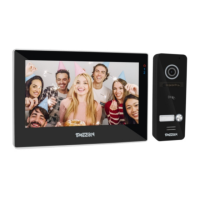
Diagram illustrating the wiring connections for a system with one 10-inch monitor and one outdoor doorbell.
Diagram detailing wiring for a system configuration with two 7-inch monitors and two outdoor doorbells.
Instructions for modifying, adding, and deleting administrator passwords for the outdoor doorbell.
Guides for adding and deleting RFID cards and fingerprints for user access.
Details on the functions represented by icons within the indoor monitor's menu interface.
Description of the user interface style resembling Windows 10.
Description of the user interface style resembling Android.
Description of the standard user interface style available.
Covers language, device ID, menu style, factory settings, software upgrade, and system restart.
Configuration options for system time and network connectivity.
Settings related to the digital frame feature, including picture format and playback.
Configuration and management of connected doorbells and cameras within the system.
Setting ringtone periods, types, and volumes for indoor monitors.
Details on functions like zooming, snapshotting, unlocking doors, and switching channels during live view.
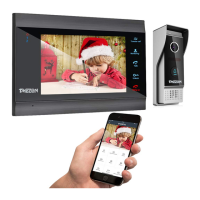
Instructions for sharing devices with family members and managing accounts within the Tuya app.
Explains app features such as taking pictures, talking, door unlocking, and SD card recording.
 General
| Connectivity | Wired |
|---|---|
| Waterproof | Yes |
| Weatherproof Rating | IP65 |
| Display | 7 inch color screen |
| Camera Resolution | 1080p HD |
| Compatibility | Compatible with TMEZON app |
| Features | Motion Detection, Remote Unlock, IR Night Vision |
| Operating Temperature | -20°C to +60°C |
| Material | Metal |

 To Next Page