EasyManua.ls Logo

Toa A-1706 - User Manual

Toa A-1706
12 pages
Print Icon
To Next Page IconTo Next Page
Loading...
OPERATING INSTRUCTIONS
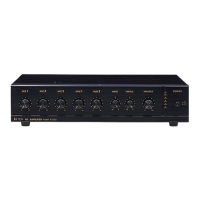
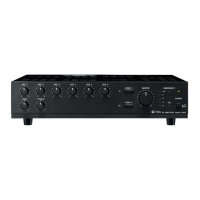
PA AMPLIFIER A-1706
A-1712
A-1724
Please follow the instructions in this manual to obtain the optimum results from this unit.
We also recommend that you keep this manual handy for future reference.
Question and Answer IconNeed help?

Do you have a question about the Toa A-1706 and is the answer not in the manual?

Summary

Safety Precautions

Safe Installation Practices

Guidelines for safely installing the unit, covering environmental factors and power connections.

Safe Operation Practices

Precautions for safe use, including avoiding liquids, checking cords, and handling malfunctions.

General Description

Key Features

Nomenclature and Functions

Front Panel Overview

Identification and description of controls and indicators on the amplifier's front panel.

Rear Panel Overview

Details on the various input, output, and control terminals located on the rear panel.

Connections

Speaker Connections

Instructions and diagrams for connecting speakers to the amplifier's terminals.

Remote Volume Control Setup

How to set up external remote control for volume adjustment.

Remote Power Control Setup

Procedure for enabling remote control of the unit's power.

External Equipment Connections

Connecting external signal processors to LINE OUT and PWR AMP IN terminals.

Function Switch Settings

Speaker Zone Selection

Installation Guidelines

Rack Mounting

Control Settings

Block Diagram

Specifications

Dimensional Diagram

Summary

Safety Precautions

Safe Installation Practices

Guidelines for safely installing the unit, covering environmental factors and power connections.

Safe Operation Practices

Precautions for safe use, including avoiding liquids, checking cords, and handling malfunctions.

General Description

Key Features

Nomenclature and Functions

Front Panel Overview

Identification and description of controls and indicators on the amplifier's front panel.

Rear Panel Overview

Details on the various input, output, and control terminals located on the rear panel.

Connections

Speaker Connections

Instructions and diagrams for connecting speakers to the amplifier's terminals.

Remote Volume Control Setup

How to set up external remote control for volume adjustment.

Remote Power Control Setup

Procedure for enabling remote control of the unit's power.

External Equipment Connections

Connecting external signal processors to LINE OUT and PWR AMP IN terminals.

Function Switch Settings

Speaker Zone Selection

Installation Guidelines

Rack Mounting

Control Settings

Block Diagram

Specifications

Dimensional Diagram

Toa A-1706 Specifications

General IconGeneral
Built-in displayNo
Amplifier class-
Frequency range50 - 20000 Hz
Audio output channels- channels
Peak power per channel60 W
Signal-to-Noise Ratio (SNR)100 dB
Total Harmonic Distortion (THD)2 %
Microphone inYes
Speakers connectivity typeRCA
PurposeHome
MaterialABS, Steel
Product colorBlack
Channels quantity1 channels
Connectivity technologyWired
LED indicatorsPower
Operating temperature (T-T)-10 - 40 °C
Weight and Dimensions IconWeight and Dimensions
Depth367 mm
Width420 mm
Height107.7 mm
Weight9300 g

Related product manuals