18
12. INITIALIZING THE DP-SP3
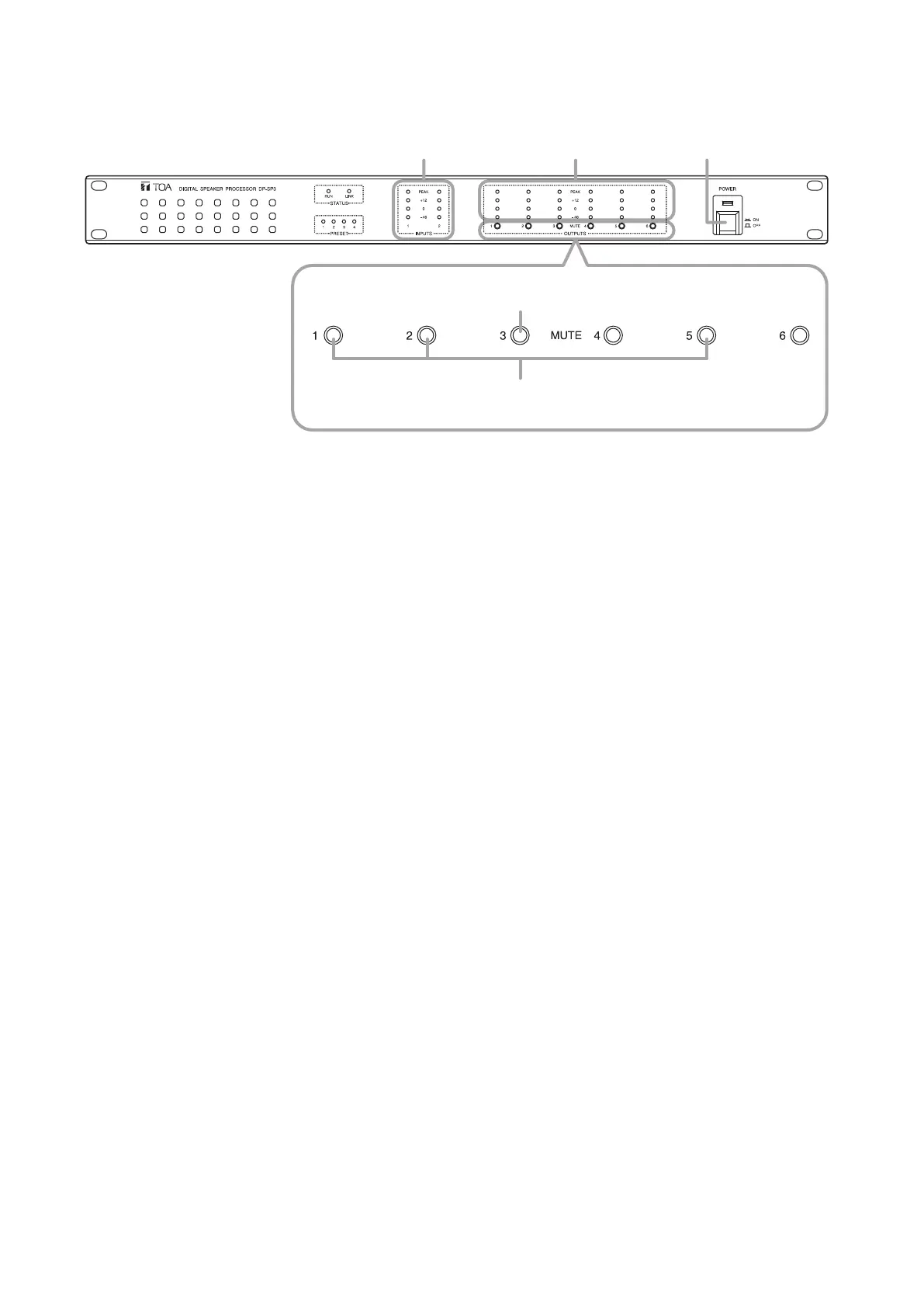
Step 1. Turn off the power switch.
Step 2. Turn on the power switch while continuously holding down the Mute switches 1, 2, and 5.
All the front panel-mounted indicators light, then those except Input and Output level indicators go off.
Step 3. When only the Input and Output level indicators light, release the Mute switches, then these indicators
turnintoashing.
Step 4. WhiletheInputandOutputlevelindicatorsareashing,presstheMuteswitch3threetimes.
Allthefrontpanel-mountedindicatorsgooff,andtheinitializationprocessstarts.
TheDP-SP3restartsafterinitializationiscomplete.
Input level indicators
1, 2
2, 3
4
Mute switches
Output level indicators Power switch



 To Next Page