[Operating Instructions]
WIRELESS
MICROPHONE
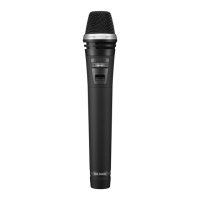
WM-370
Please follow the instructions in this manual to obtain
the optimum results from this unit. We also recom-
mend you keep this manual handy for future refer-
ence.
GENERAL DESCRIPTION
Compact and light weight, the TOA WM-370 is a
lavalier type wireless microphone for speech. It
incorporates a uni-directional electret condenser
microphone to minimize feedback, and a com-
pressor/expander system noise reduction circuit
to minimize the influence of high-frequency noise
generated from digital equipment such as
personal computers and word processors.
FEATURES
Internal loop antenna.
Small size, light weight and high reliability.
Continuous operation for 12 hours or more on one
alkaline battery (LR6/1.5V).
Two battery indicators (green and red).
Internal I.D. signal generator for tone squelch.
Compressor/expander system noise reduction cir-
cuit.
USER PRECAUTIONS
Take care not to drop the unit on to a hard floor.
Do not flip nor blow into the microphone head.
Avoid placing the unit in areas of extremely high
humidity and temperature.
Never open the unit nor touch its internal compo-
nents.
Clean the unit's exterior periodically with a soft dry
cloth. If it gets very dirty, wipe first with a soft damp
cloth lightly soaked in a neutral detergent, and then
dry with a soft cloth.
Never use thinner, benzine, or other solvents, which
may damage plastic part of the unit.
Remove the battery if the unit is to be stored for two
weeks or more.
MICROPHONE GAIN CONTROL
Remove a battery to expose the control. Use a
Philips screwdriver to adjust it. The sensitivity
increases as the control is rotated clockwise, and
decreases as rotated counterclockwise. Usually
leave the control intact.
Gain control
TOA Corporation

 Need help?
 General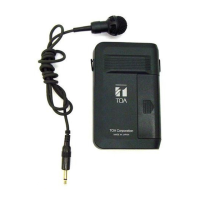

 To Next Page