Tomar Scorpion
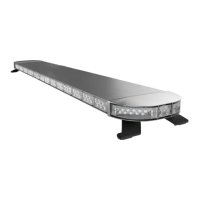
970L Lightbar
Operational & Programming Instructions
Example - Program Progressive Slide Switch Apply +12vdc to:
Mode 1 – ORG ORG
Mode 2 – ORG + BLU ORG + BLU
Mode 3 – ORG + BLU + WHT/BLK ORG + BLU + WHT/BLK
Example - Program Independent Switch Apply +12vdc to:
Mode 1 – ORG ORG
Mode 2 – BLU BLU
Mode 3 – WHT/BLK WHT/BLK
Advancing Selectable Warning Mode Patterns and Flash Rates
Once Warning Mode Programming has been entered and the Mode to be programmed activated, tap (apply
and remove) the appropriate wire to advance through the available ash patterns and ash rates. Continue
until the desired WARNING MODE AND FLASH RATE HAVE BEEN is selected.
Advancing Warning Pattern Selection:
Tapping the RED/WHT wire advances the REAR Warning Lamp patterns.
Tapping the BRN/WHT wire advances the FRONT Warning Lamp patterns.
Tapping the GRAY wire advances the SIDE Warning Lamp patterns.
Advancing Warning Flash Rate Selection:
Tapping the RED/WHT + WHT wire advances the REAR Flash Rate.
Tapping the BRN/WHT + WHT wire advances the FRONT Flash Rate.
Tapping the GRAY + WHT wire advances the SIDE Flash Rate.
Advancing Optional Features (if ordered):
These optional Steadyburn Light features can be programmed to be OFF or FLASHING in warning modes. In
normal operation, activation of a Steadyburn light overrides this warning mode.
Tapping the BRN wire toggles the Takedown Light between OFF and Flashing.
Tapping the VIO wire toggles the Rearwork Light between OFF and Flashing.
Tapping the YEL wire toggles the Alley Lights between OFF and Flashing.
Repeat for each Warning Mode wire and or combinations of Warning Mode wires.
To Exit Warning Mode Programming, remove power from all 970L power and control wires.
IS0537-02
06/21/2013
PHONE: 800-338-3133
FAX: 800-688-6627
2100 W OBISPO AVE
GILBERT, AZ
85233
WWW.TOMAR.COM
Page 2
TM


 To Next Page