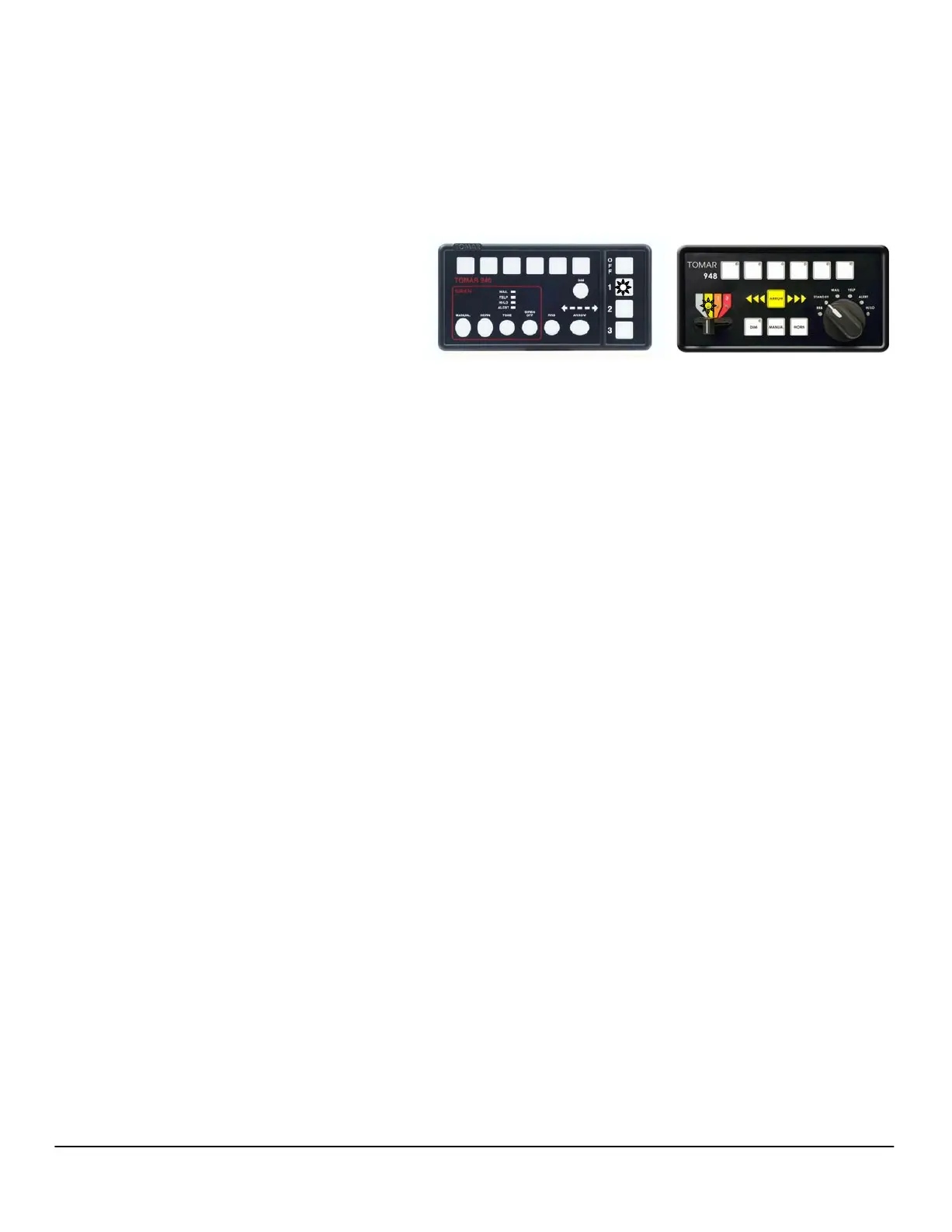
B. Programming Progressive Mode Switches
1. Program a Mode:
Example: Begin programming the Mode 1
warning pattern by pressing mode
Switch 1, or moving the slide switch to
position 1.
(a) Selecting Flash Pattern: Select the Mode 1 warning pattern by pressing the appropriate
switch as listed below. Each press advances the pattern one step. Continue until the desired
pattern is selected.
Pressing Programming switch 1 advances the Front Warning Lamps
Pressing Programming switch 3 advances the Rear Warning Lamps
Pressing Programming switch 5 advances the Side Warning Lamps
(b) Selecting Flash Rate: Select the Mode 1 ash rate by pressing the appropriate switch as
listed below. Each press advances the ash rate one step. Continue until the desired ash rate
is selected.
Pressing Programming switch 2 switch advances the Front Flash Rate
Pressing Programming switch 4 switch advances the Rear Flash Rate
Pressing Programming switch 6 switch advances the Side Flash Rate
(c) Selecting Flashing warning mode for Optional TD/RW/A Lights (if ordered):
To program, toggle the optional TD/RW/A Lights to be OFF or FLASHING in Warning Modes. In
normal operation, activation of a TD/RW/A light overrides this Flashing warning mode.
Press & hold DIM then press Programming switch 1 to toggle the Takedown Light (TD)
Press & hold DIM then press Programming switch 3 to toggle the Rearwork Light (RW)
Press & hold DIM then press Programming switch 5 to toggle the Alley Lights (A)
Repeat the above steps for each Warning mode; Mode 1, 2 & 3.
PHONE: 800-338-3133
FAX: 800-688-6627
2100 W OBISPO AVE
GILBERT, AZ
85233
WWW.TOMAR.COM
Page 5
IS0537-02
06/21/2013
1 2 3 4 5 6
Tomar 970L Scorpion Lightbar Programming Instructions
TM
(d) Warning patterns and ash rates are now set for Mode s 1, 2 & 3 when selected .
1 2 3 4 5 6


 To Next Page