Tomar 970L Scorpion Lightbar Programming Instructions
Using one of the 94X-DCP Digital Control Panels or the 94X-Siren Amp & Control Panels
Connecting to the 970L LED Controller:
REMOVE POWER. Unscrew the lamp at the rear
passenger side of the Lightbar. Locate the 970L LED Controller and connect the DB9 receptacle of
the Tomar DB9-RJ45-Cable. Then connect the RJ-45 modular plug directly to the 94X-DCP, or the
94X-Siren Amp & Control Panel via the Slave RJ-45 port on the rear panel. If any Lightbar control
wires are connected by any other method then the 94X-Siren Amp & Control Panel -- DO NOT
activate any while in programming mode. Apply and maintain main power to the Lightbar.
A. Activate Lightbar Programming Mode
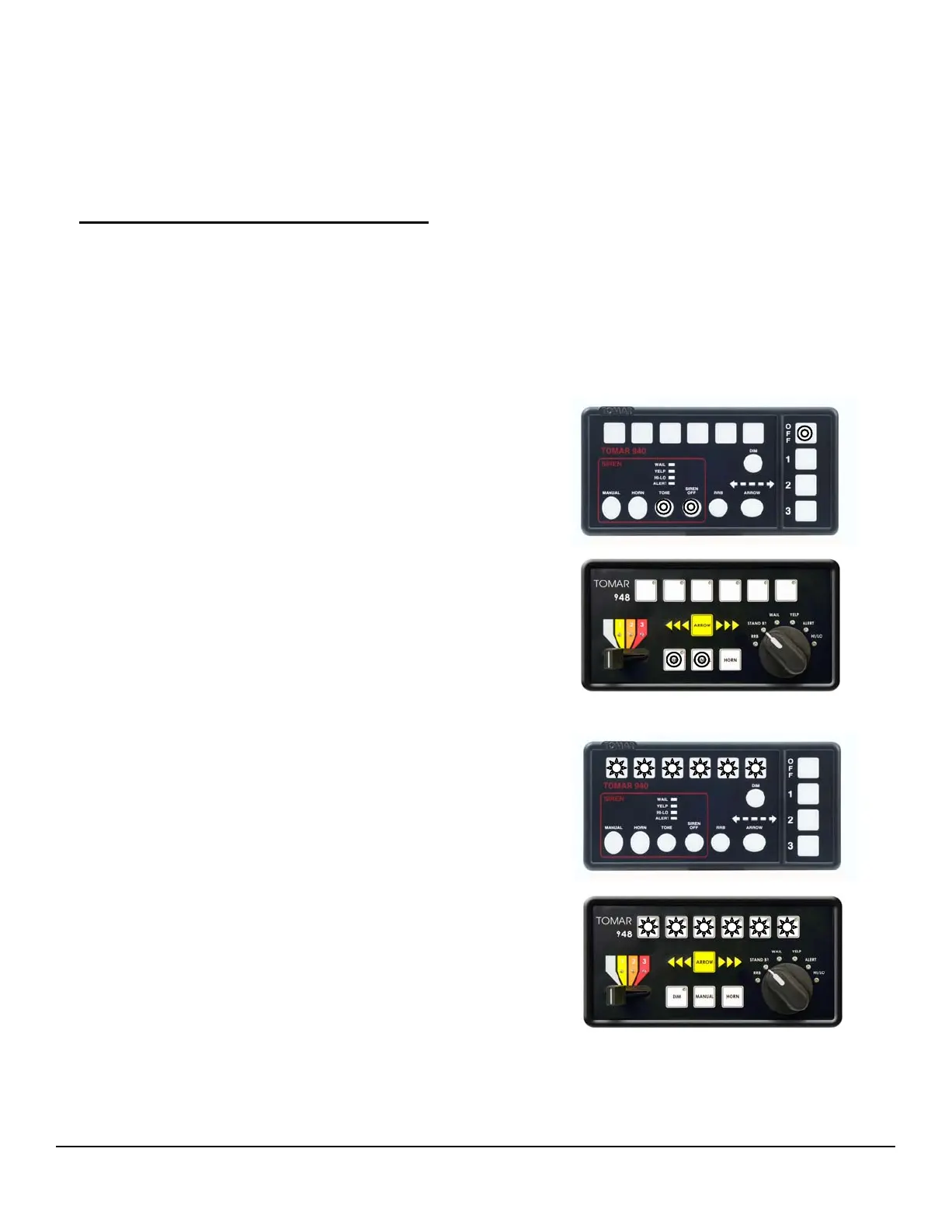
940L - Activate the Lightbar Program Mode by
simultaneously pressing the TONE +
SIREN OFF + OFF switches and hold for
two seconds
PHONE: 800-338-3133
FAX: 800-688-6627
2100 W OBISPO AVE
GILBERT, AZ
85233
WWW.TOMAR.COM
Page 4
IS0537-02
06/21/2013
2. Programming switches 1-6 will blink three
times to indicate successful activation of
programming mode.
1 2 3 4 5 6
TM
948L - Activate the Lightbar Program Mode by
simultaneously pressing the MANUAL+
DIM switches and hold for two seconds
1 2 3 4 5 6


 To Next Page