- 06 -
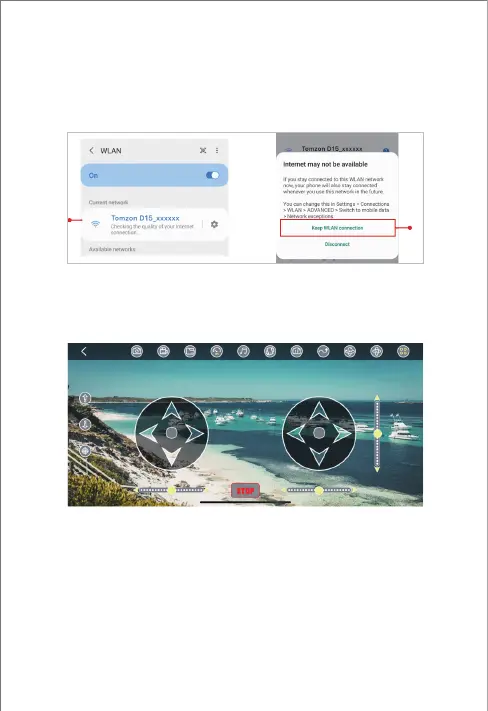
3. After successful connection, click connect and enter the APP flight
interface to start the flight experience.
Enter the mobile phone WLAN settings, click to connect to the aircraft
Wi-Fi: Tomzon_D15_xxxxxx, select in the mobile hotspot Internet
network data detection prompt: Keep WLAN Connection.
Note:
If the drone's Wi-Fi is not occurring on your phone, please open your
phone's airplane mode and restart the drone to try again. Or please just
contact the official email for technology support.
2.2 Wi-Fi connection (Android)


 To Next Page