TOOBOM VOICE RECORDER
E: support@toobomworld.com W: http://toobomworld.com
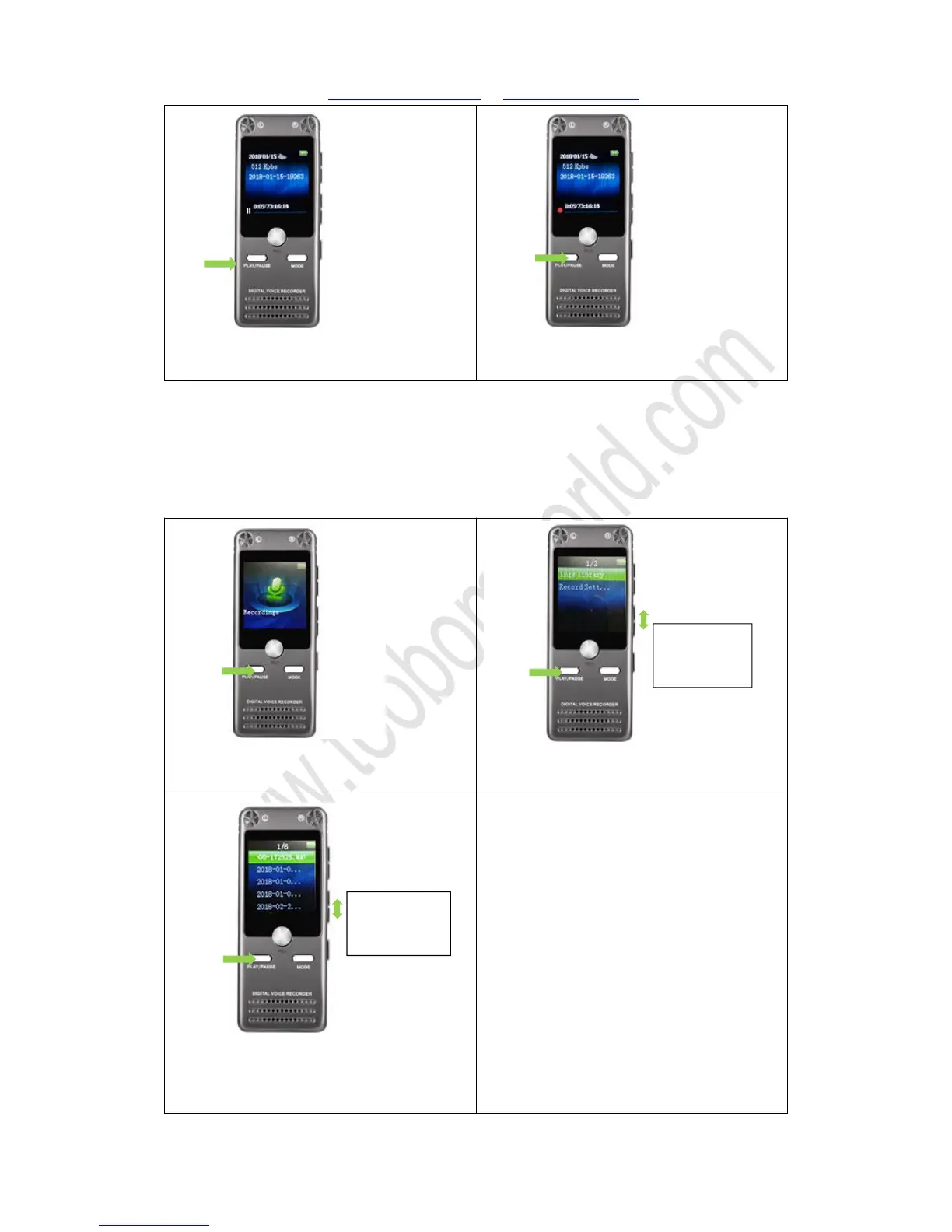
1) During recording, press PLAY button,
2) When it was paused, press PLAY
button, it will resume recording
If you want to pause the recording, press PLAY, it will pause recording
Press PLAY again, it will resume to record
5. How to playback recording
1) Press and Hold PLAY button, the
2) Select “Recordings “, and then press
PLAY enter it, find “Recordings library ”
3) It will show all recorded recordings,
select the desired recording, press PLAY
to playback


 To Next Page