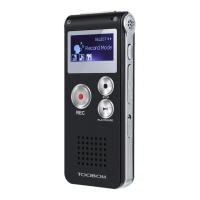
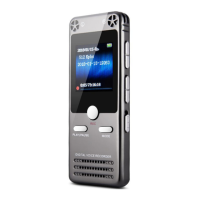
TOOBOM VOICE RECORDER
E: support@toobomworld.com W: http://toobomworld.com
connect your voice recorder to computer.
When the recorder screen will connect to computer ICON, you could find the
removable drive “R75” on your computer
All recordings was inside this drive a folder named “RECORD”
7) How to playback on MAC computer?
1) We suggest set record format at MP3, so recordings could be directly playback on
2) If recorded at WAV format, you could download free VLC Media Player
http://www.videolan.org/ or other similar software help you playback wav format
audio files on MAC computer
8) It shows no voice recordings found
This is because all recordings was deleted, or the recordings was not inside the
“RECORD” folder
9) It shows no songs found
No songs music file on the recorder disk
10) I cannot find my recordings on the recorder
Recordings are not inside the “RECORD” folder, connect to computer , have a check,
if your recordings was on the recorder disk a folder named “RECORD”
Or you have switched to music folder, press M(menu) button, switch back to record
folder
When disk is full, that means the recorder don’ t have free space, or you didn’t
delete all files from the recorder successfully, this is usually happened, if you cut your
recordings to your computer, and the recorder looks empty on computer, while it
didn’t delete files utterly, so recorder still don’t have free space
So we just need to format the recorder, things will be normal.
In Set, find Format Device, you could format the recorder
NOTE: when format device, please be sure that you have made copies for your
important files, once format the device, all files will be erased, and it cannot be
restored


 To Next Page