EasyManua.ls Logo

TOOBOM R75 - R75 Voice Recorder Basic Operations; Charging the voice recorder; How to recording

TOOBOM R75
23 pages
Print Icon
To Next Page IconTo Next Page
To Previous Page IconTo Previous Page
Loading...
TOOBOM VOICE RECORDER
E: support@toobomworld.com W: http://toobomworld.com
Page 5 of 23
Chapter 2
The Basics Operation of R75 Voice Recorder
1. Check the voice recorder
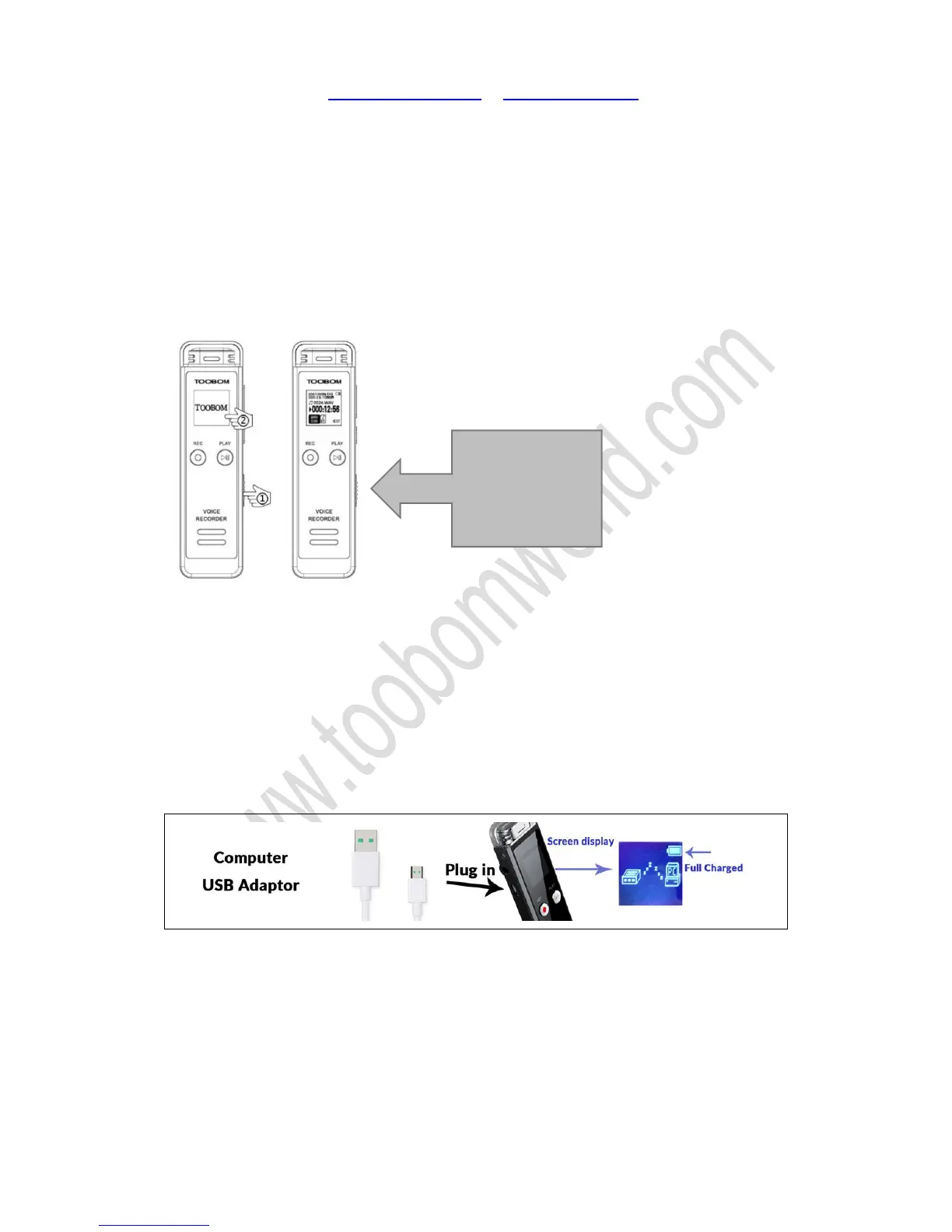
Once you open the box, push down the ON/OFF (power button) around 3 second,
boot on your voice recorder. Try to playback the test file in the music folder or press
hold REC button to recording a test file to check everything is OK
If you cannot boot on your voice recorder, it maybe the recorder has low battery, go
to next step, charging the voice recorder
2. Charging the voice recorder
Use the MicroUSB cable connect your voice recorder to USB socket to charging it.
When full charged, the battery icon will be full.

3. How to recording

Table of Contents

Related product manuals