@ToolkitRC 2019
First start
1, the 7-28V power supply is connected to the input port
on the back of the ST8
2, the display shows the boot logo and stays for 2
seconds
3, accompanied by do-re-mi boot sound
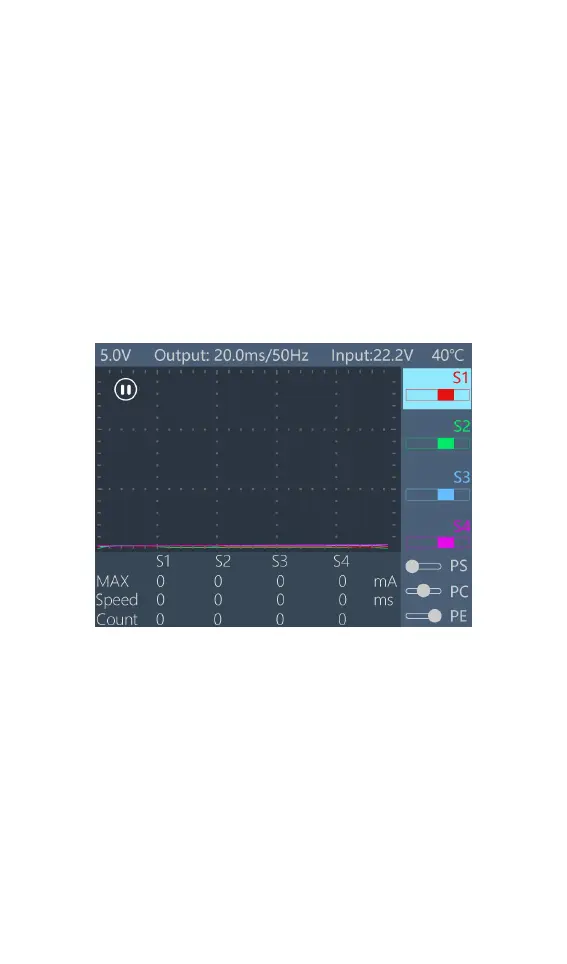
4, the boot is completed, the display enters the main
interface as shown below:
5, Press [Exit] to start the PWM signal output and test.
6, Rotate [Knob], move the cursor to select different
channels, press [OK] to confirm, pop up the setting
options of the selected channel, and set the input and
output signals of the channel.
7, Press and hold [OK] to enter the system setup menu.
8, Press [Exit] to end the modification or return to the
main interface.


 To Next Page