Need help?
Do you have a question about the ToolKitRC M8P and is the answer not in the manual?
Key points and important information for users.
Directs users to online resources for updates and news.
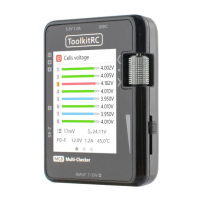
Identifies components on the front face of the M8P charger.
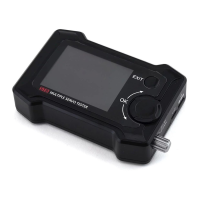
Identifies components on the back face of the M8P charger.
How to select or create battery profiles for charging.
How to configure the number of cells for the connected battery.
Options for selecting the operational mode of the charger.
How to choose between different battery discharge methods.
Setting the maximum acceptable input voltage for safety.
Adjusting the final voltage for charging or discharging.
Configuring the charge or discharge current values.
Adjusting peak voltage detection for NiMH batteries.
Setting parameters for cyclic charging/discharging operations.
Configuring settings for external discharge loads.
Configuring settings for smart/UAV batteries.
Testing the internal resistance of a connected battery.
Testing and analyzing PWM, PPM, and SBUS signals.
Generating and configuring output signals like PWM, PPM, SBUS.
Performing tests on Electronic Speed Controllers (ESCs).
Using the device as an adjustable power supply.
Configuring power-related input parameters for the charger.
Adjusting safety parameters like temperature and time limits.
Customizing user interface elements like backlight and language.
Enabling or disabling continuous operation modes.
Setting actions upon completion of charging/discharging.
Setting balance start voltage for cells.
Enabling/disabling continuous charging/discharging after battery replacement.
Resetting factory settings for the device.
Instructions for updating the device's firmware via USB.
How the device handles sequential charging of multiple batteries.
Information about the fan's speed control based on temperature.
Guide to calibrating voltage readings for accuracy.
Technical specifications related to charging functions.
Specifications for measurement capabilities.
Specifications for signal output functions.
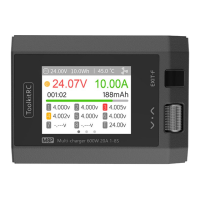
Details about the charger's display screen.
Physical product dimensions and weight.
Specifications for the product's packaging.
 General
| Max Charge Power | 300W |
|---|---|
| USB Charging | 5V/2.1A |
| Max Power | 300W |
| Voltage Resolution | 0.001V |
| Current Resolution | 0.001A |
| Operating Temperature | 0°C to 40°C |
| Storage Temperature | -20°C to 60°C |
| Max Discharge Power | 20W |
| Display | 2.4 inch IPS LCD |
| Temperature Measurement Range | -20°C to 80°C |
| Cooling | Fan |
| Protections | Overcurrent, Overvoltage, Overtemperature, Short circuit |

 To Next Page