17
TP Series
6. Maintenance
Foreign objects on the LED or sensor may cause bill jamming and decrease
acceptance rate.To make sure the bill acceptor always works smoothly,please
clean the internal parts regularly.
To clean the internal parts :
1. Turn Bill Acceptor off.
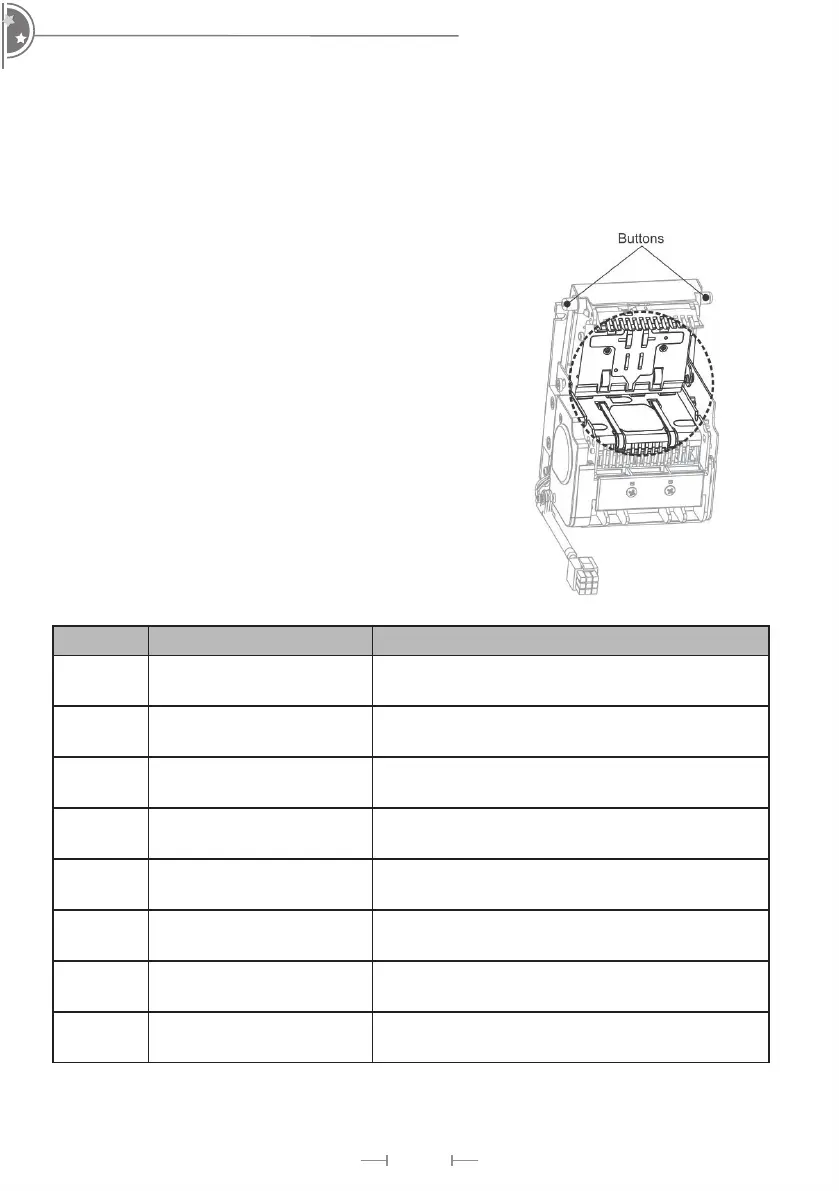
2. Open LED Assembly by pushing buttons on both sides.
3. Use a soft, dry cloth or towel to clean the bill path and sensors.
7. Troubleshooting
LED Flash Status Corrective Actions
1 Bill jammed
Open bill path unit and then remove the
jammed bill.
2 Disable Inspect for right DIP switch setting
3
Recognition sensor
module error
Inspect for foreign objects on sensor or bill path
and clean
3+2 Hook sensor error
Inspect for foreign objects on security hook and
clean
3+4 Fish sensor error
Inspect for foreign objects on sensor or bill path
and clean
4
A stringing attempt has
detected
Inspect for foreign objects on sensor or bill path
and clean
6
Stacker error or stacker
full
Inspect for foreign objects on stacker and clean
or wmpty the bill box
7 Motor error
Inspect for foreign objects on bill path and
clean


 To Next Page