6 Topcom Twintalker 5010
Topcom Twintalker 5010
13.2 Adjusting speaker volume
There are 15 levels of speaker volume
13.3 Receiving a signal
The unit is continuously in the receive mode when the unit is switched on and not
transmitting.
13.4 Transmitting a signal
13.5 Changing channels
13.6 CTCSS (Continuous Tone Coded Squelch System)
The 2 digit CTCSS code corresponds to a specific tone frequency the radio emits.
Two users, with the same channel and CTCSS set can hear one another. They will
not be able to hear anyone else on the channel unless the other radios have the same
exact CTCSS code enabled. The Twintalker 5010 has 38 CTCSS codes available.
13.7 Monitor
You can use the monitor feature to check for weaker signals in the current channel.
• Press and hold the
MON\ -button to activate channel monitoring.
• Release the
MON\ -button to stop monitoring.
13.8 Call tones
A call tone alerts other users that you want to start talking to.
13.8.1 Setting the call tone
The Twintalker 5010 has 10 call tones
13.8.2 Sending a call tone
Press the button briefly. The call tone will be transmitted on the set channel.
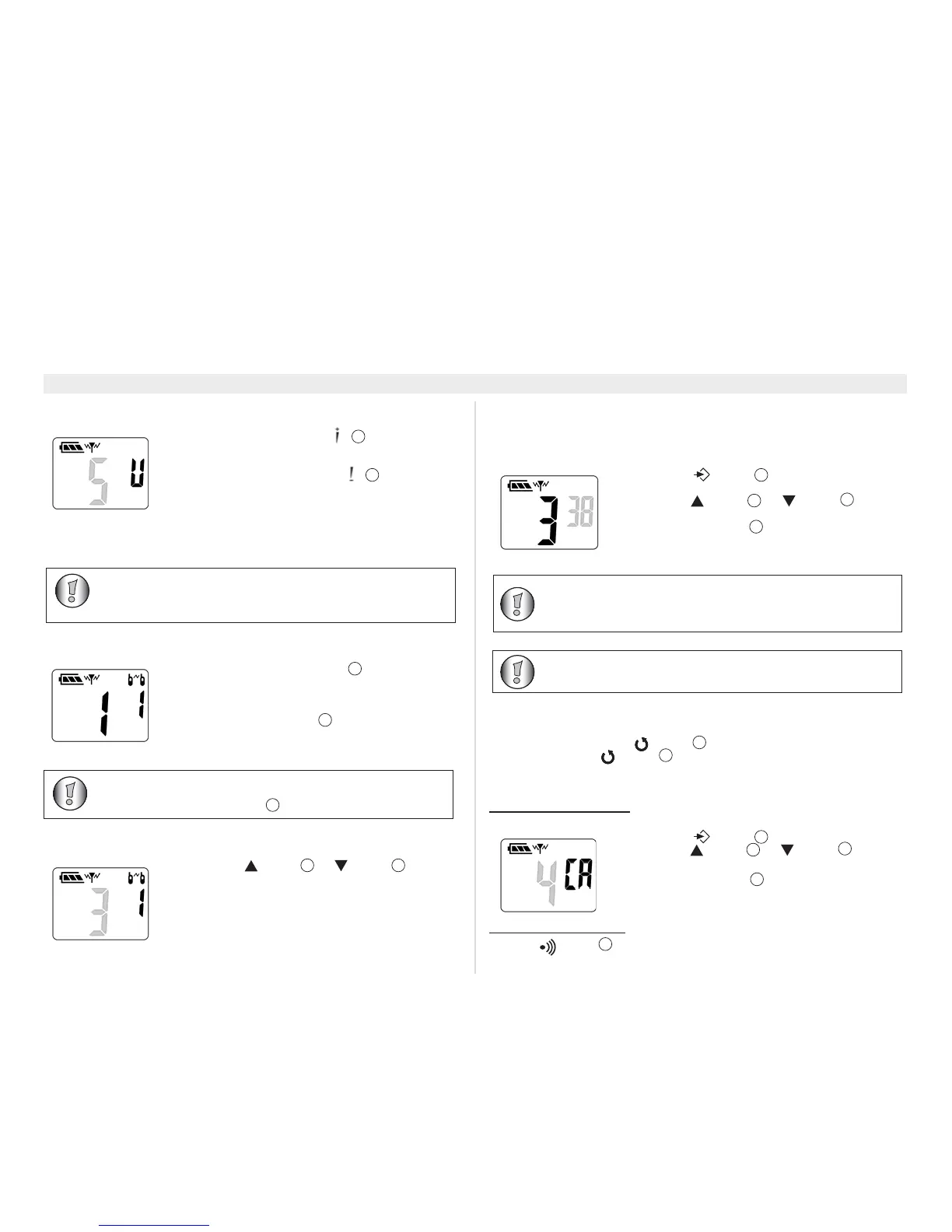
• Press the volume up button in stand-by-mode
to increase the speaker volume. The volume level is
displayed.
• Press the volume down button to decrease the
speaker volume.
• Press and hold the PTT-button to transmit. The TX
LED will be on.
• Hold the unit in a vertical position with the microphone
10 cm from the mouth and speak into the microphone.
• Release the PTT-button when you want to stop
transmitting.
• Press the -button or -button to change
the channel.
3
10
• Press the -button , the current CTCSS code
flashes on the display.
• Press the -button
or -button to
change to another code.
• Press the PTT-button
to confirm and return to
stand-by mode.
• Press the -button two times.
• Press the -button or -button to change
to another call tone. Select ‘0’ to disable the call tones.
• Press the PTT-button to confirm and return to
stand-by mode.
9
• It is recommended to set a CTCSS code for each channel.
This way you will have minimum interference from other
users on the same channel.
• To disable CTCSS code, set the code to ‘0’.




 To Next Page