16 Topcom Webt@lker 200
Topcom Webt@lker 200
7.4 Speed Dialling
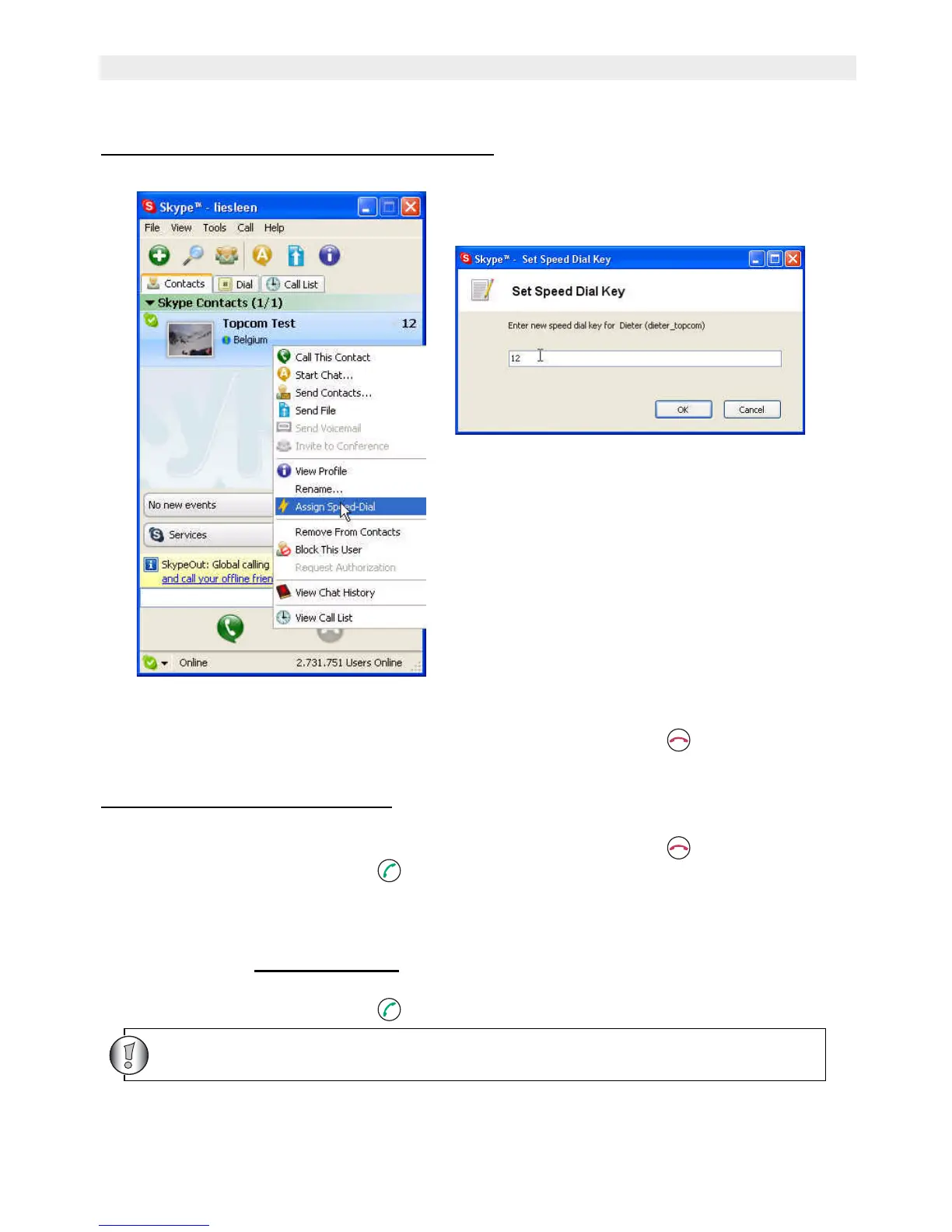
7.4.1 To enter a speed dial number in SKYPE
• In Skype window, go to the Contacts tab and select your desired contact.
• Right-click the contact and select Assign Speed-Dial.
• Assign a number as a speed dial number by your keypad
To erase the number you just entered, press the Off hook/Clear button.
•Select ‘OK’ to confirm and return to the main Skype window.
7.4.2 To dial a speed dial number
• Enter the speed dial number using the USB phone keypad. The number appears below.
To erase the number you just entered, press the Off hook/Clear button.
• Press the Dial/Answer button to call the number.
7.5 Calling a Phone Number (Skype Out)
Note: If you want to use this function, you should buy SkypeOut Credit first. Check the
SKYPE website: www.skype.com
• Enter the phone number by pressing the USB phone keypad.
• Press the Dial/Answer button to call the number.
To select ‘+’ before the telephonenumber, press and hold the ‘0’/’+’ - button



 To Next Page