Topcom Webt@lker 200 9
Topcom Webt@lker 200
ENGLISH
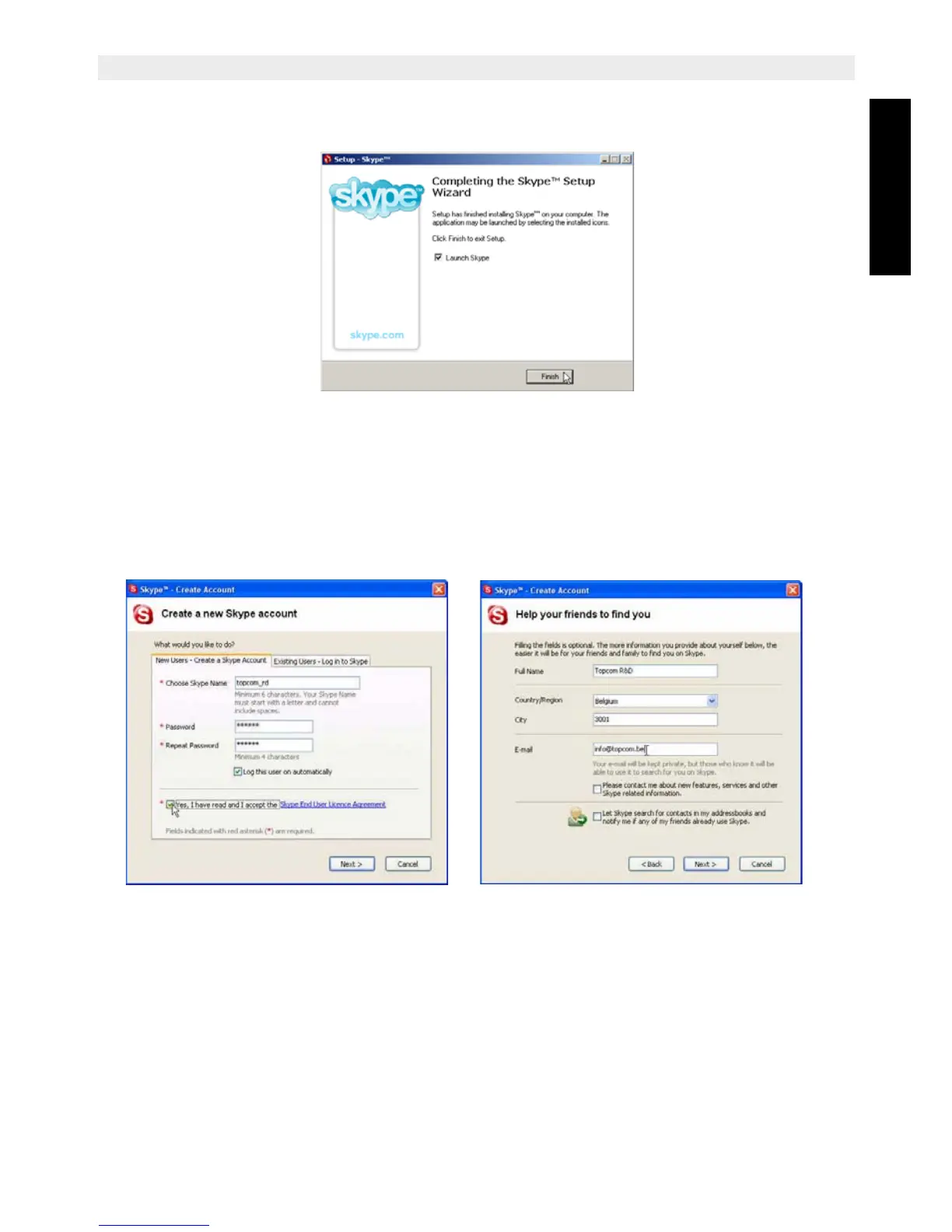
6. Ensure ‘Launch Skype’ is selected and click ‘Finish’ to complete the installation.
7. Once you have finished the installation, the ‘Create a new Skype account’ menu will
be displayed. If you want to register a new account, enter all requested information.
Read the Skype End User Agreement and accept this agreement. Click ‘Next’ to
continue. The next screen will ask for additional information so other user can find you
easily.
8. If you have already a Skype account, select ‘Existing Users - Log into Skype’. Enter
your Skype user name and password and click ‘Next’ to log in.
9. The SKYPE main screen appears and you will be logged on the SKYPE network.



 To Next Page