1-7
P/N: 1069122-01 (JS 31301)
WEEE Recycling Passport
FC-6400 ULTRA-RUGGED TABLET
Internal Disassembly
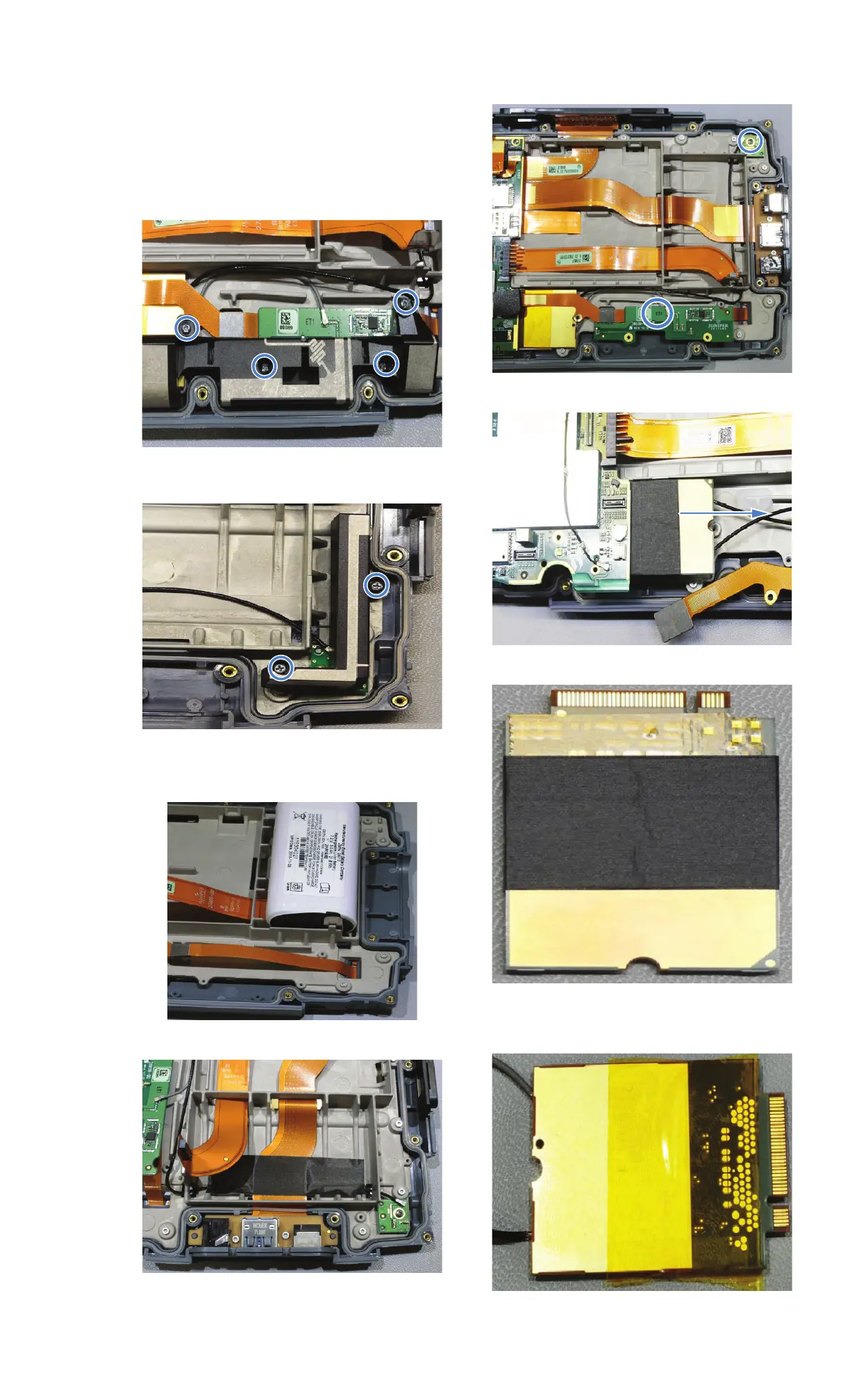
Cell Modem
1. Remove four screws indicated from Main
antenna with PH#1.
2. Remove antenna.
3. Remove two screws as shown with PH#1
and remove diversity antenna.
4. If installed, remove internal battery by
detaching cable from battery and removing
battery.
.
5. Remove RF tape.
6. Remove screw from Diversity module with
PH#1.
7. Remove main and diversity antenna PCBAs
and unplug cables.
8. Remove cell module.
9. Remove RF tape from cell module.
10. Remove Kapton tape from module.
11. Remove cables from front of cell module.


 To Next Page