1-5
P/N: 1069122-01 (JS 31301)
WEEE Recycling Passport
FC-6400 ULTRA-RUGGED TABLET
Case Back Disassembly
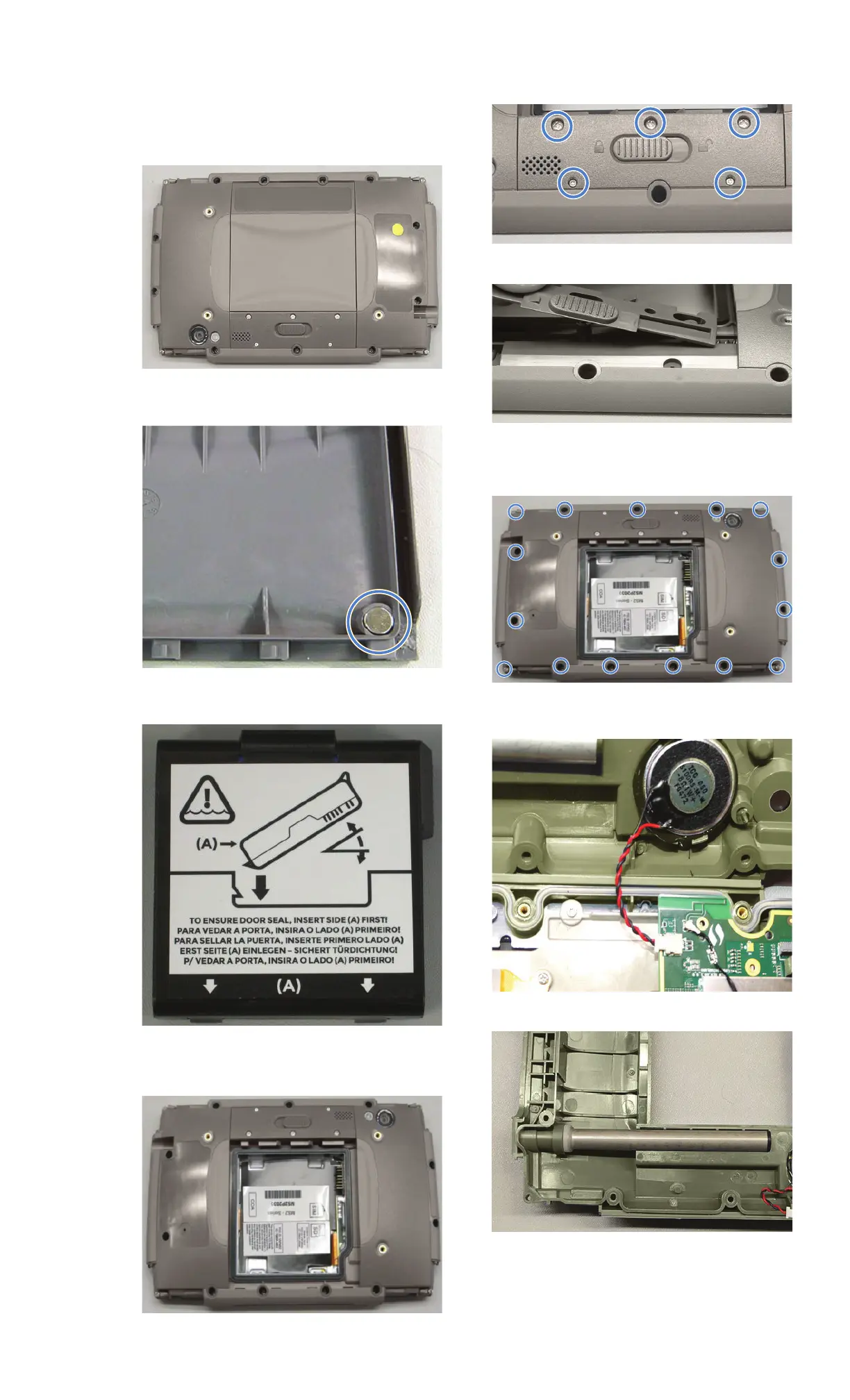
1. Remove hydrophobic patch.
2. Unlatch and remove battery door.
3. Remove rare earth magnet (Magnetic
material).
4. Remove battery pack (see separate WEEE
Recycling Passport for the battery pack).
5. Remove battery compartment label.
6. Remove battery door gasket.
7. Remove five screws from battery latch
faceplate.
8. Remove battery latch and spring.
9. Remove 15 screws from perimeter of back
side of the unit with PH#1 and remove case
back.
10. Unplug speaker and remove from case
back.
11. Remove stylus garage from case back.


 To Next Page