1-11
P/N: 1069122-01 (JS 31301)
WEEE Recycling Passport
FC-6400 ULTRA-RUGGED TABLET
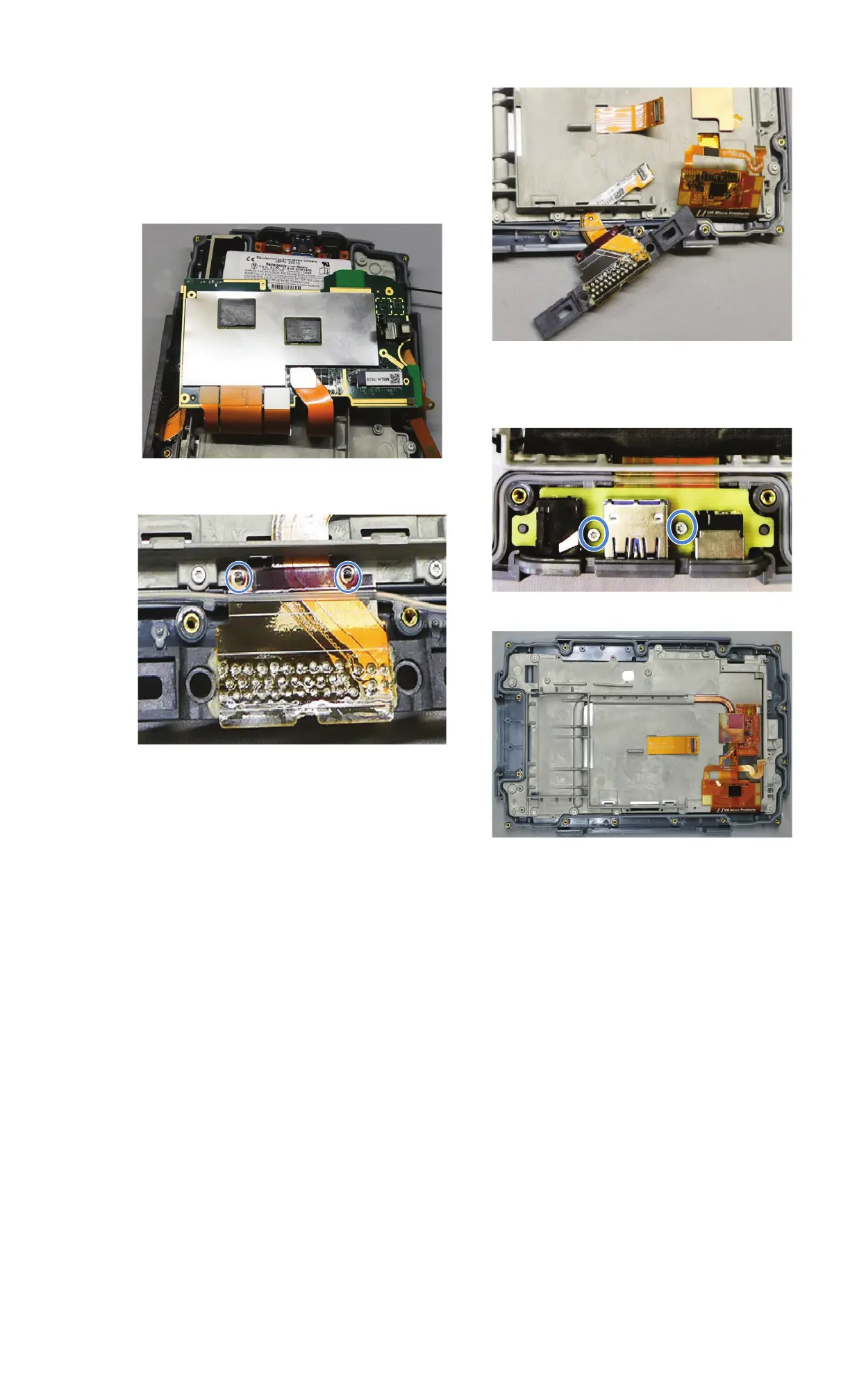
Remove Flextails from Frame
1. Remove front camera.
2. Remove thermal interface material.
3. Disconnect all flextails from PCBA.
4. Remove main PCBA.
5. Remove two Philips screws from docking
module.
6. Remove docking module.
7. Remove two T5 screws from I/O module.
8. Remove I/O module faceplate and remove
I/O module from unit.
9. Remove main gasket.


 To Next Page