7
1-866-4TOPCON www.topcongps.com
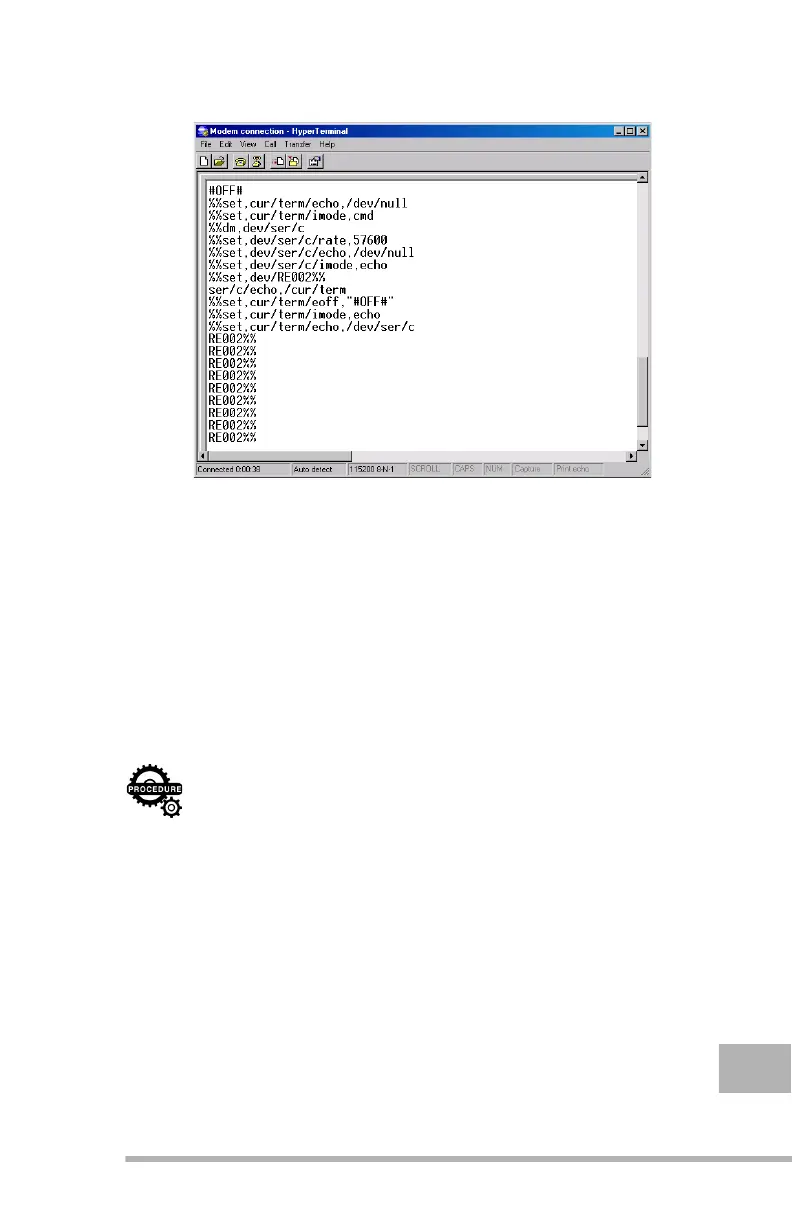
The commands will output to the receiver (Figure 1-7).
Figure 1-7.
Daisy Chain activated
Once the output is complete, you can configure the radio
modem using the commands described in Chapter II on
page 9.
Disabling Daisy Chain
After you have made the necessary changes in the radio modem,
you should return the receiver’s ports which are currently in Daisy
Chain mode to Command mode.
It can be done by following these steps:
Step 1. Save the commands that follow into an ASCII file (for
example,
Modem_Daisy_Chain_disabling
).
#OFF#
%%set,cur/term/echo,/dev/null
%%set,cur/term/imode,cmd
%%set,dev/ser/c/echo,/dev/null
%%set,dev/ser/c/imode,cmd
Step 2. From the Main window of the HyperTerminal program,
select Transfer X Send Text File. The Send Text File
window will appear. Navigate to the location of the file



 To Next Page